All in One Unit Converter Pro

Mod Info:
- No root or Lucky Patcher or Google Play Modded required;
- Disabled / Removed unwanted Permissions + Receivers + Providers + Services;
- Optimized and zipaligned graphics and cleaned resources for fast load;
- Debug code removed;
- Remove default .source tags name of the corresponding java files;
- Languages: Full Multi Languages;
- CPUs: armeabi-v7a, arm64-v8a, x86, x86_64;
- Screen DPIs: 160dpi, 240dpi, 320dpi, 480dpi, 640dpi;
- Original package signature changed;
Description
All in One Unit Converter Pro helps you convert everyday units and handle common scientific and engineering calculations in one place. When you need to switch between metric and imperial values—such as inches to mm, cm to inches, kg to lbs, lbs to kg, or Fahrenheit to Celsius—the app gives you fast results without hunting for separate calculators. It works as a universal unit conversion calculator and includes extra “smart tools” that support study, field work, and technical tasks.
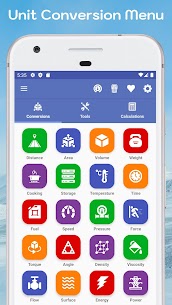
Unit Conversion Categories (Conversions Tab)
The app covers a wide range of conversion types, so you can convert both basic and advanced engineering units:
- Length / Distance: km to miles, feet to inches, and more
- Area: hectares to acres and other area formats
- Volume: cubic meters to cubic centimeters, etc.
- Mass / Weight: kilograms to pounds, grams to ounces, and more
- Cooking: teaspoons to tablespoons, cups to teaspoons, and similar kitchen measures
- Computer Storage: bits to bytes, MB to KB, and other data sizes
- Temperature: Fahrenheit, Celsius, Kelvin conversions
- Time: years to months, seconds to nanoseconds, and more
- Fuel, Speed, Pressure: common transport and engineering unit changes
- Force, Torque, Angle, Density: includes formula-based and unit-based conversions
- Viscosity, Flow, Surface Tension: useful for technical and lab contexts
- Energy, Power, Sound, Frequency: from joules/calories to watts and signal-related units
- Electrical Units: current, resistance, conductance, resistivity, conductivity, capacitance, inductance, charge, and potential
- Screen Resolution: convert and compare display-related values
Built-In Engineering Tools (Tools Tab)
All in One Unit Converter Pro also provides utilities that go beyond conversions, so you can rely on one app for multiple tasks:
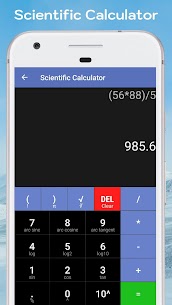
- Scientific calculator for advanced math
- Stopwatch and timer for experiments and routines
- Memory usage monitor
- Protractor and compass needle for measurement and orientation
- Periodic table for chemistry reference
- Number counter for tallying
- Speed meter for quick movement checks
- RGB ↔ HEX converter for color code conversion
- Qibla direction finder
- Calendar for planning and date tracking
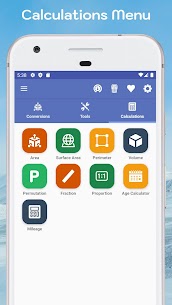
Math and Science Calculators (Calculations Tab)
For formula-based work, the app includes dedicated calculators that speed up repeated computations:
- Area, surface area, and perimeter calculators
- Volume calculator using standard formulas
- Permutation calculator
- Decimal-to-fraction converter
- Proportion calculator
- Date difference / age calculator
- Mileage, distance, and fuel calculators
Why It’s Useful
Instead of switching between multiple apps or searching conversions online, you can convert units, verify measurements, and run technical calculations from a single interface. This makes the app practical for students, engineers, travelers, and anyone who needs reliable conversions quickly.
Images


Download links
How to install All in One Unit Converter Pro Mod APK?
1. Tap the downloaded All in One Unit Converter Pro Mod APK file.
2. Touch install.
3. Follow the steps on the screen.
Note: Important!
- Delete all previous Original/Mod before installing the latest mod.
- If necessary, log in with your email/social media. Modded App cannot be logged in with Gmail.
- Enjoy !!!