All Video Downloader

Mod Info
Paid Features Unlocked
● No ads
● Lite and stable mod
● Debug info removed
● Multiple languages available
● No active trackers or advertisements
● Requires android 6.0 and up
● CPUs arch: armeabi-v7a, arm64-v8a
● Optimized and cleaned resources for fast loading.
Description
All Video Downloader is a simple and powerful app that helps you save videos from social networks and websites directly to your device. With fast speed, a built-in browser, and a secure download manager, the app makes video downloading easier than ever.
Introduction
All Video Downloader is designed to offer a quick and convenient way to save videos from online platforms directly onto your device. Many users often struggle with slow or unreliable download tools that lack stability, support limited file types, or come with overly complicated interfaces. This application solves those problems by providing a smooth and user-friendly experience that allows you to enjoy your favorite videos offline with just a single tap.
The app combines a built-in browser, a secure folder, a download manager, and a high-speed downloading engine into one compact solution. It supports numerous file formats, ensures fast performance, and works across various internet networks. Whether you want to save clips shared by friends, download content for offline viewing, or back up important media files, the app is built to handle all your daily downloading needs.
A Smooth Browsing Experience with the Built-In Browser
One of the main highlights of All Video Downloader is its integrated browser, which allows you to explore websites directly from within the app. This eliminates the need to switch between different applications while searching for the videos you want to download. As you browse, the app automatically detects downloadable media, making it extremely convenient to initiate downloads.
The built-in browser is optimized for speed and simplicity. It offers a clean interface, smooth scrolling, and fast loading performance to ensure users can search, watch, and download videos effortlessly. This browsing system is particularly useful for those who frequently visit social platforms or video-rich sites.
Fast and Reliable Video Downloading Performance
The core of All Video Downloader is its high-speed downloading engine designed to deliver quick and stable downloads. Many downloading apps struggle with large files, slow speeds, or failed downloads, but this application focuses on providing a faster and more consistent experience. The download button appears instantly as soon as the app detects a media file, letting users save videos with a simple tap.
Even when downloading multiple files at once, the app maintains impressive performance. It supports pipelined downloading, parallel processing, and background download mode so users can continue doing other tasks while their media files are being saved. This makes the app ideal for heavy users who often download several videos per day.
Support for Multiple File Formats and Large Downloads
Another strength of All Video Downloader is its compatibility with a wide range of media formats. The app supports formats such as MP4, MOV, AVI, WMV, MP3, M4A, PDF, TXT, and many more. This means users are not restricted to a certain file type, giving them the freedom to save videos, music, documents, and images effortlessly.
In addition, the app has no trouble handling large files. Whether it’s a long HD video, a full movie clip, or extensive media content, the downloading engine is built to manage size without affecting performance. This ensures users can download everything they need without worrying about crashes or incomplete downloads.
Built-In Player for Offline Viewing
Once a video is downloaded, users can watch it directly through the app’s built-in player. The player supports offline playback, eliminating the need for internet connectivity. This feature is especially convenient for users who travel frequently, have limited mobile data, or prefer storing important videos locally.
The player is simple yet functional, offering essential playback tools without unnecessary complexity. It loads videos quickly and maintains smooth performance even for HD files.
Background Downloading for Convenience
Background downloading is another major feature that enhances user experience. You can start a download, switch to another app, lock your phone, or continue browsing while the file continues to download in the background. This level of convenience is essential in modern mobile usage, where multitasking has become the norm.
The app also provides a download bar that shows your progress in real time, giving you a clear indicator of how much time remains for each file.
Powerful Download Manager
A complete download manager is integrated into the app to help users organize and control their downloads. The manager allows pausing, resuming, and deleting downloads at any time. If a download fails due to network instability, it can be resumed without restarting from the beginning. This prevents wasted time and bandwidth, especially for large files.
The download manager also groups completed files neatly, making it easier to find them later.
Secure, Private, and Password-Protected Folder
Privacy is an important aspect of media downloading, and All Video Downloader includes a password-protected folder to keep your downloaded content secure. Users can store sensitive or personal videos in this protected space so they remain hidden from others who may use the device. This ensures that your media remains private and accessible only to you.
SD Card Support for More Storage Flexibility
For users with limited internal storage, SD card support is a vital feature. The app allows saving files directly to external memory, helping users manage storage space more efficiently. Large video downloads no longer need to consume internal storage, giving you more freedom to save as many files as you want.
Conclusion
All Video Downloader is a complete media downloading solution built for speed, convenience, and reliability. With its integrated browser, fast downloading engine, private folder, download manager, and broad file format support, the app provides everything users need to save videos and media files easily.
It offers a smooth and intuitive experience suitable for beginners and advanced users alike. Whether you want to watch videos offline, save clips shared by friends, or collect media from various websites, this app delivers outstanding performance on all fronts.
FAQ
Is All Video Downloader free to use?
Yes, the app is completely free and provides full access to its downloading features.
Does the app support HD video downloads?
Yes, the app allows users to download HD videos quickly and smoothly.
Can I download multiple files at the same time?
Yes, the app supports simultaneous downloads without slowing down performance.
Are downloaded videos safe and private?
Yes, users can save files inside a password-protected folder for added privacy.
Does the app support background downloading?
Yes, users can continue other activities while downloads progress in the background.
Images


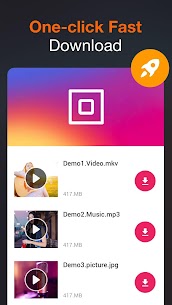


Download links
How to install All Video Downloader Mod APK?
1. Tap the downloaded All Video Downloader Mod APK file.
2. Touch install.
3. Follow the steps on the screen.
Note: Important!
- Delete all previous Original/Mod before installing the latest mod.
- If necessary, log in with your email/social media. Modded App cannot be logged in with Gmail.
- Enjoy !!!