AppMgr Pro III

Mod Info:
- No root or Lucky Patcher or Google Play Modded required;
- Disabled / Removed unwanted Permissions + Receivers + Providers + Services;
- Optimized and zipaligned graphics and cleaned resources for fast load;
- Ads Permissions / Services / Providers removed from AndroidManifest;
- Ads links removed and invokes methods nullified;
- Google Play Store install package check disabled;
- Debug code removed;
- Remove default .source tags name of the corresponding java files;
- Analytics / Crashlytics / Firebase disabled;
- No active trackers or advertisements – offline mode;
- AOSP compatible mode;
- Languages: Full Multi Languages;
- CPUs: armeabi-v7a, arm64-v8a, x86, x86_x64;
- Screen DPIs: 160dpi, 240dpi, 320dpi, 480dpi, 640dpi;
- Original package signature changed;
Description
AppMgr Pro III (also known as App 2 SD) is an app management tool that helps you free storage, reduce clutter, and control which apps run on your device. It combines several functions in one interface: archiving apps (Android 15+), moving apps between internal/external storage, hiding built-in apps from the launcher, freezing apps, and batch-managing installs.
Core Components
Archive apps (Android 15+ only)
AppMgr can archive apps to reduce storage use while keeping them available to restore later. This feature works on Android 15 and above.
Move apps (internal ↔ external storage)
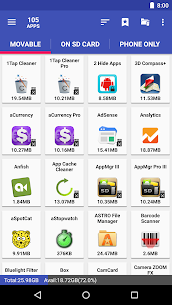
AppMgr streamlines moving supported apps to your SD card (or back to internal storage) using Android’s built-in “change storage” option. It can also notify you when you install an app that can be moved.
Hide apps (clean up the app drawer)
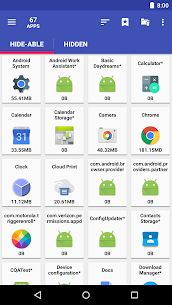
You can hide system or preinstalled apps from your app drawer to reduce clutter—useful for carrier apps or built-in tools you never use.
Freeze apps (stop them from running)
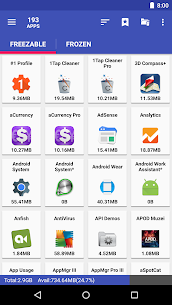
AppMgr can freeze apps so they remain installed but stay in a stopped state. This helps when you want to keep an app but prevent it from consuming CPU, memory, or background battery.
App manager (batch tools)
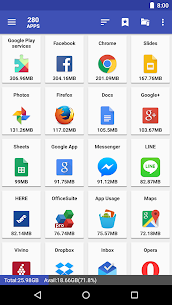
You can manage apps in bulk, including uninstalling, moving, and sharing apps with others.
Main Features
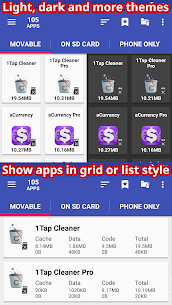
- Modern UI with themes
- Batch archive/restore (Android 15+ only)
- Batch uninstall
- Batch move apps to external storage
- Movable-app install notifications
- Hide apps from the app drawer
- Freeze apps to a stop state
- One-tap cache clearing + batch clear cache/data
- Export/import app lists
- Sort by name, size, or install time
- Share a customized app list
- Home screen widgets
Extra Functions for Rooted Devices
On rooted phones, AppMgr adds deeper control, such as:
- Root uninstaller
- Root freeze
- Root cache cleaner
- Root app mover
Notes About “App 2 SD” Support (Android 6+)
App moving depends on your device and manufacturer implementation. If you don’t see the Change button in Android storage settings, your device may not support moving apps the standard way. The developer provides troubleshooting guidance via the in-app FAQ (AppMgr → Settings → About → FAQ).
Permissions (What They’re Used For)
- READ/WRITE_EXTERNAL_STORAGE: export/import the app list
- GET_PACKAGE_SIZE / PACKAGE_USAGE_STATS: show app size information
- BIND_ACCESSIBILITY_SERVICE (optional): automate actions like clearing cache or moving apps, especially helpful for users who have difficulty tapping through system menus
- WRITE_SETTINGS: prevent screen rotation during automated actions
- SYSTEM_ALERT_WINDOW: display a waiting overlay above other apps while automation runs
Images
Download links
How to install AppMgr Pro III Mod APK?
1. Tap the downloaded AppMgr Pro III Mod APK file.
2. Touch install.
3. Follow the steps on the screen.
Note: Important!
- Delete all previous Original/Mod before installing the latest mod.
- If necessary, log in with your email/social media. Modded App cannot be logged in with Gmail.
- Enjoy !!!