
Code Editor

Mod Info:
- Premium / Paid features unlocked;
- Disabled / Removed unwanted Permissions + Receivers + Providers + Services;
- Optimized and zipaligned graphics and cleaned resources for fast load;
- Ads Permissions / Services / Providers removed from AndroidManifest;
- Ads links removed and invokes methods nullified;
- Ads layouts visibility disabled;
- Google Drive broken;
- Google Play Store install package check disabled;
- Debug code removed;
- Remove default .source tags name of the corresponding java files;
- Analytics / Crashlytics / Firebase disabled;
- No active trackers or advertisements;
- Languages: Full Multi Languages;
- CPUs: armeabi-v7a, arm64-v8a, x86, x86_64;
- Screen DPIs: 120dpi, 160dpi, 240dpi, 320dpi, 480dpi, 640dpi;
- Original package signature changed;
Description
Code Editor is a text editor built specifically for programming on Android. It targets developers who want to write, edit, and test code from a phone or tablet with tools that go beyond a basic notepad. The app includes essentials such as syntax highlighting, smart indentation, code assistance, auto-completion, and even compilation and execution for many languages.
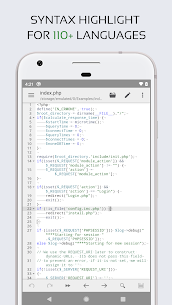
Syntax Highlighting for 110+ Languages
Code Editor supports syntax highlighting for more than 110 programming and markup languages. You can work comfortably with popular options such as C/C++, Java, JavaScript, HTML, Markdown, PHP, Python, Lua, Dart, and many others. Clear highlighting makes large files easier to scan and reduces mistakes while editing.
Built-In Online Compiler (Run 30+ Languages)
The app includes an online compiler that can compile and run code for over 30 common languages. It supports workflows for languages such as Python, PHP, Java, NodeJS/JavaScript, C/C++, Rust, Pascal, Haskell, and Ruby, which helps when you want to test code quickly without switching devices.
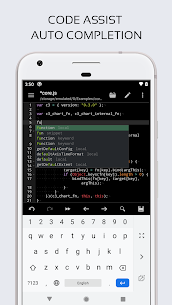
Developer Productivity Tools (Assist, Folding, Tabs)
Code Editor includes features that speed up navigation and editing:
- Code assist, code folding, and auto completion
- Multiple tabs for switching between files quickly
- Unlimited undo/redo so you can experiment safely
- Search and replace with regular expressions
- Optional line numbers and matching bracket/parenthesis highlighting
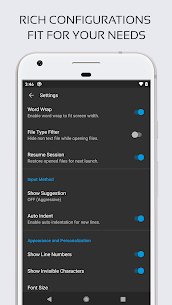
- Automatic indent/outdent and visibility toggles for invisible characters
File Access and Project Organization
The app helps you reopen work quickly by supporting recently opened files and file collections. It also supports previewing HTML and Markdown, which makes it useful for web docs, READMEs, and static pages.
Web Development Features (Emmet + JS Console)
For front-end workflows, Code Editor includes:
- Emmet support to speed up HTML/CSS writing
- A built-in JavaScript console to evaluate JS code directly
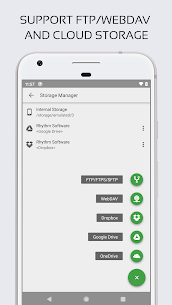
Cloud, Remote, and Git Integrations
Code Editor supports working with code stored in many places:
- Remote access via FTP, FTPS, SFTP, and WebDAV
- Cloud access via Google Drive, Dropbox, and OneDrive
- Integration with GitHub and GitLab for easier repository access
Keyboard Support and Theme Customization
If you use a physical keyboard, Code Editor supports key combinations to improve productivity. You can also customize the look with three app themes and 30+ syntax highlighting themes to match your preferences.
Note About Plain Text Editing
If you want a simple text editor without coding features, the developer recommends using QuickEdit Text Editor instead.
Images

Download links
How to install Code Editor Mod APK?
1. Tap the downloaded Code Editor Mod APK file.
2. Touch install.
3. Follow the steps on the screen.
Note: Important!
- Delete all previous Original/Mod before installing the latest mod.
- If necessary, log in with your email/social media. Modded App cannot be logged in with Gmail.
- Enjoy !!!
Related apps





Developer's apps



Latest Apps
Popular apps


