
DiskDigger Pro
Defiant Technologies LLC
6.13 MB
1.0-pro-2026-03-28
6.0
500,000+

Description
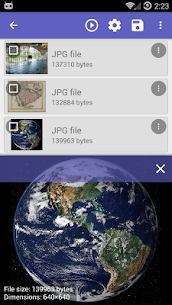
DiskDigger Pro (for rooted devices) helps you restore deleted photos, documents, videos, music, and many other file types from internal storage or a memory card. When you accidentally remove a file—or even reformat a card—the app scans storage for recoverable data and lets you bring back what you lost.
Root Access Determines Recovery Power
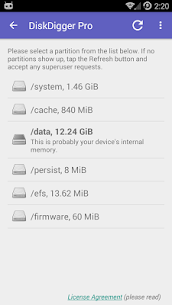
DiskDigger Pro delivers its best results on rooted devices because root access allows the app to search the full internal memory and look for many different file formats. If your device is not rooted, DiskDigger can only run a limited scan that focuses mainly on deleted photos and videos. On non-rooted phones, the app typically recovers lower-resolution versions found in cache and thumbnail folders rather than full original files.
Scanning and Results Management
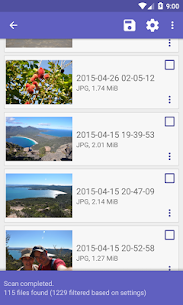
After DiskDigger finishes scanning, you can review the items it finds and choose what to restore. The app also includes a “Clean up” button that permanently deletes items you no longer want (this feature is currently experimental and only available in the Basic Scan), which helps you remove unwanted remnants after you recover what matters.
Protect Privacy with “Wipe Free Space”
If you want to prevent future recovery of deleted content, you can use “Wipe free space.” This option overwrites remaining free space so previously deleted files become much harder—or impossible—to recover later.
Save and Share Restored Files
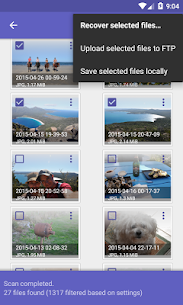
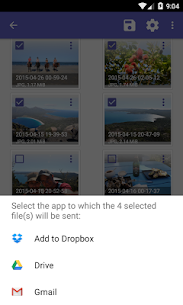
DiskDigger Pro lets you store recovered files in a different local folder on your device, or you can upload and send them right away. You can upload directly to Google Drive or Dropbox, send files via email, or transfer them to an FTP server, depending on how you prefer to back up and share your restored data.
Supported File Types
DiskDigger can recover many common formats, including images (JPG, PNG, GIF, HEIF, TIF and many camera RAW types), video (MP4/3GP/MOV), audio (MP3, M4A, WAV, AMR, OGG/OPUS), documents (DOC/DOCX, XLS/XLSX, PPT/PPTX, PDF, ODT/ODS/ODP), and archives/apps (ZIP, RAR, APK), along with additional formats like EPUB and VCF.
Images
Download links
How to install DiskDigger Pro Mod APK?
1. Tap the downloaded DiskDigger Pro Mod APK file.
2. Touch install.
3. Follow the steps on the screen.
Note: Important!
- Delete all previous Original/Mod before installing the latest mod.
- If necessary, log in with your email/social media. Modded App cannot be logged in with Gmail.
- Enjoy !!!
Related apps




Latest Apps
Popular apps


