HabitKit

Description
HabitKit is a habit tracker designed to help you create new routines or break unwanted ones. It motivates you with a clean, tile-based grid chart that grows as you stay consistent. You can track anything—from quitting smoking to exercising more—then personalize the dashboard with your own colors, icons, and descriptions.
Create Habits in Seconds
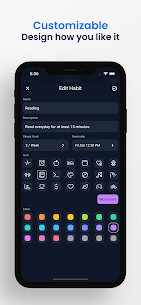
HabitKit keeps setup simple. You add a habit by choosing a name, optional description, icon, and color. After that, you can start logging completions right away without complex forms or long onboarding.
Dashboard with Tile-Based Grid Charts
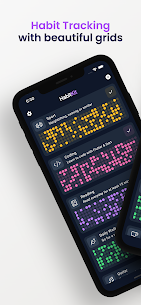
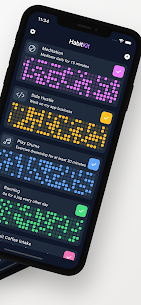
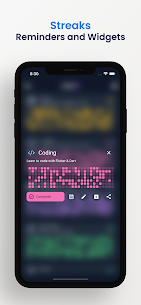
HabitKit displays all your habits on a single dashboard. Each habit uses a grid chart where every filled square represents a day you completed the habit. This makes progress easy to read because you can see consistency and gaps instantly.
Streak Tracking That Matches Your Schedule
HabitKit lets you define how often you want to complete each habit—daily, 3 times per week, 20 times per month, and more. The app then calculates streaks based on your goal, so you stay motivated even when a habit isn’t meant to be done every day.
Reminders That Help You Stay Consistent
You can add reminders to any habit and receive notifications at the time you choose. This helps you avoid missed completions and supports habit-building through consistent prompts.
Calendar for Fast Edits to Past Days
HabitKit includes a calendar view that makes backfilling or correcting entries easy. You tap any day to add or remove a completion, which helps when you forget to log something or want to adjust your record accurately.
Archive Habits Without Losing History
If you want to pause a habit without deleting it, you can archive it. This removes it from the main dashboard to reduce clutter, while keeping data available so you can restore it later.
Import and Export for Data Backup
HabitKit supports exporting your habit data to a file so you can store it wherever you want and restore it later. This feature helps when you switch phones or want a manual backup of your progress.
Images

Download links
How to install HabitKit Mod APK?
1. Tap the downloaded HabitKit Mod APK file.
2. Touch install.
3. Follow the steps on the screen.
Note: Important!
- Delete all previous Original/Mod before installing the latest mod.
- If necessary, log in with your email/social media. Modded App cannot be logged in with Gmail.
- Enjoy !!!