Invoice Maker
Gulooloo Tech Co. Ltd.
32 MB
1.03.48.1530
5.0 and up
1,000,000+

Mod Info
Paid Features Unlocked
● Stable mod
● Debug info removed
● Multiple languages available
● No active trackers or advertisements
● Requires android 5.0 and up
● CPUs arch: armeabi-v7a, arm64-v8a
● Optimized and cleaned resources for fast loading.
Description
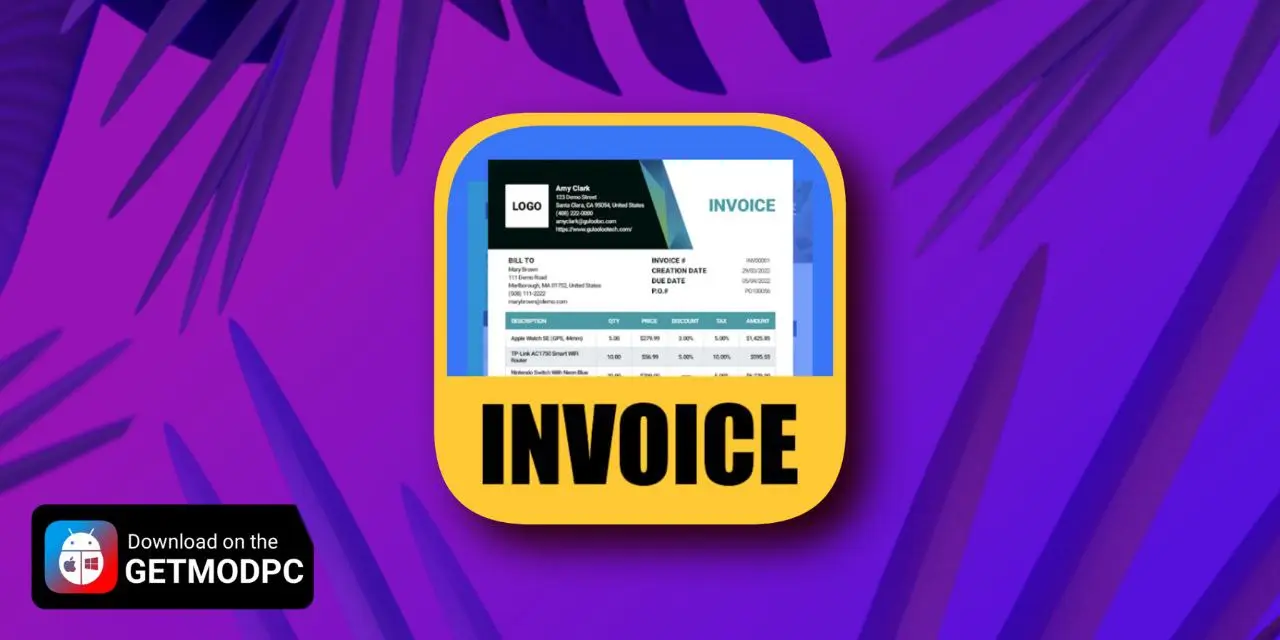
My Invoice Maker & Invoices is a powerful and user-friendly billing app that lets you create professional invoices and estimates in minutes. With customizable templates, PDF exporting, smart tracking, and real-time previews, it’s perfect for freelancers and small businesses.
Introduction
My Invoice Maker & Invoices is designed for individuals and small businesses who want a simple yet professional solution for managing billing, estimates, and invoices. Today, many business owners struggle with outdated invoicing methods, complicated accounting tools, or slow desktop software. This app solves those problems with a fast, mobile-friendly, and intuitive platform that works anytime and anywhere.
The app focuses on helping users create polished invoices and estimates with minimal effort. Whether you’re a freelancer, contractor, shop owner, or service provider, My Invoice Maker streamlines the entire billing process—from generating estimates to converting them into invoices and tracking payments. With real-time previews, PDF exporting, customizable branding, and multi-currency support, the app becomes a complete billing assistant in your pocket.
Its clean design and professional templates help users produce clear, organized documents that build trust with clients. Combined with its easy-to-use interface and powerful features, My Invoice Maker is a reliable tool for anyone who needs a smart, accessible invoicing system on mobile.
Create Professional Invoices in Minutes
My Invoice Maker gives users a fast and efficient way to create invoices without unnecessary complexity. The process is straightforward: tap to create a new invoice, fill in client details, add items or services, and the app automatically calculates totals, taxes, and discounts. This smooth workflow helps users generate clear and accurate invoices in just a few minutes.
Each invoice can be customized to match the branding of a business, including adding your company logo, website, or signature. These personal touches add credibility and help reinforce a professional presence. The app’s real-time preview feature ensures that users can review the final look before sending it, eliminating mistakes and improving the invoicing experience.
Powerful Estimate Maker With One-Tap Conversion
Many billing situations start with an estimate, and the app handles this seamlessly. You can build detailed estimates that outline planned work, pricing, and terms. These documents help you negotiate more effectively with clients and win more projects.
Once approved, converting an estimate into an invoice takes just one tap. This eliminates repetitive work and speeds up the billing process. The app keeps both estimates and invoices clearly organized, making it easy to check project status and track financial activity with confidence.
Smart Tracking and Organized Billing Management
My Invoice Maker features a clear dashboard where every invoice and estimate is automatically tracked. Payment status is always visible, allowing users to quickly see which invoices are pending, paid, or overdue. This clarity helps you avoid missed payments and reduces the stress of manual tracking.
The app enables you to store frequently used client information and items, reducing time spent filling out recurring details. Whether you’re billing for hourly services, project tasks, or physical products, everything stays organized and easy to access. This makes the app a powerful tool for professionals who handle multiple clients and consistent workflow.
Customizable Templates With a Professional Look
The built-in templates are one of the standout features of My Invoice Maker. These templates are designed with clean and modern layouts that ensure your invoices look polished and trustworthy. You can personalize each document by adding branding elements, adjusting details, and selecting formatting options that fit your business style.
Multi-currency support and global formatting compatibility make it ideal for users who work with international clients. With the ability to adjust date formats, number styles, and tax settings, the app adapts to the requirements of any region or business type.
Export, Print, and Send With Ease
Once your invoice or estimate is ready, exporting is effortless. The app allows you to generate PDFs or image files instantly. These files maintain formatting and can be shared through email, messaging apps, or directly printed on paper.
The export feature makes it simple to store documents for recordkeeping or send them to clients in a professional format. This flexibility is especially useful for mobile-only business owners who need quick and reliable ways to send billing documents without using a computer.
A Reliable Tool for Freelancers and Small Businesses
My Invoice Maker delivers a complete all-in-one billing solution that includes an invoice maker, estimate maker, receipt generator, and document manager. For individuals who need a lightweight yet powerful app, it removes the complications of traditional accounting software while preserving the features they truly need.
It calculates totals automatically, supports digital signatures, saves recurring items, and keeps everything organized in one place. Whether you run a small store, offer freelance services, or handle multiple clients, the app ensures your billing process stays smooth, fast, and professional.
Conclusion
My Invoice Maker & Invoices is a highly practical and user-friendly application designed to simplify every aspect of billing. With its streamlined invoice creation, easy estimate conversion, branding options, PDF exporting, and intuitive tracking system, it stands out as a powerful tool for freelancers and small business owners.
The app’s professional templates and flexibility make it suitable for nearly any industry. Whether you’re issuing quick invoices on the go, sending formal estimates to clients, or tracking payments, the app provides everything you need in a simple, accessible format. For anyone looking to modernize their billing workflow, My Invoice Maker is a valuable solution that keeps your business running efficiently and professionally.
FAQ
Can I customize my invoices with a logo or website?
Yes, the app supports full customization including company logos, websites, and signatures to give your invoices a professional look.
Does the app support multiple currencies?
Absolutely. You can choose from various currency formats to suit your business or international clients.
Can I convert an estimate into an invoice?
Yes, estimates can be converted into invoices instantly with just one tap.
Is it possible to export invoices to PDF?
Yes, you can export all invoices and estimates to PDF or image formats and send them easily via email.
Images


Download links
How to install Invoice Maker Mod APK?
1. Tap the downloaded Invoice Maker Mod APK file.
2. Touch install.
3. Follow the steps on the screen.
Note: Important!
- Delete all previous Original/Mod before installing the latest mod.
- If necessary, log in with your email/social media. Modded App cannot be logged in with Gmail.
- Enjoy !!!