MacroDroid

Mod Info
● Pro | Paid Features Unlocked
● No ads
● Stable mod
● Debug info removed
● Multiple languages available
● No active trackers or advertisements
● Requires android 6.0 and up
● CPUs arch: armeabi-v7a, arm64-v8a
● Optimized and cleaned resources for fast loading.
Description
MacroDroid provides one of the simplest ways to automate tasks on your Android smartphone or tablet. It uses a clean and intuitive interface that lets you create fully automated actions in just a few taps. Instead of navigating complex settings or writing scripts, you build powerful automation flows quickly and efficiently.
With MacroDroid, you take control of repetitive tasks and transform your Android device into a smarter, more responsive tool that works exactly the way you want.
Automate Everyday Tasks with Ease
MacroDroid helps you streamline countless daily activities. Here are several practical ways you can use it to automate your device:
Manage Files Automatically
You can automate file management tasks such as copying, moving, or deleting files. By doing this, you keep your file system organized and free from unnecessary clutter without manual intervention.
Auto Reject Calls During Meetings
You can configure MacroDroid to reject incoming calls automatically when your calendar shows that you are in a meeting. This ensures you avoid interruptions while maintaining a professional workflow.
Improve Safety While Commuting
MacroDroid enhances your safety on the road. It can read incoming notifications and messages aloud using Text-to-Speech technology, allowing you to stay informed without touching your phone. At the same time, it can send automatic responses via SMS or email, so you remain connected without distraction.
Optimize Your Daily Workflow
You can automate routine actions to match your daily habits. For example, your phone can turn on Bluetooth and start playing music as soon as you enter your car. It can also enable WiFi automatically when you arrive home. These small adjustments create a seamless user experience throughout your day.
Reduce Battery Consumption
MacroDroid helps you conserve battery life by dimming your screen, disabling WiFi when not needed, or adjusting other power-intensive settings automatically. You minimize battery drain without constantly managing settings yourself.
Create Custom Sound and Notification Profiles
You can design personalized sound and notification profiles that activate under specific conditions. This gives you full control over how and when your device alerts you.
Set Smart Reminders
MacroDroid allows you to create reminders using timers and stopwatches. You ensure that important tasks never slip through the cracks.
These examples represent only a fraction of what you can accomplish. MacroDroid supports virtually limitless automation scenarios that make your Android experience smoother and more efficient.
How MacroDroid Works
MacroDroid simplifies automation into three clear steps. You define when something should happen, what should happen, and under which conditions it should run.
Step 1: Select a Trigger
You start by choosing a trigger. The trigger determines when your macro activates. MacroDroid offers more than 80 different trigger types, giving you extensive flexibility.
You can use location-based triggers such as GPS or nearby cell towers. You can rely on device status triggers like battery level changes or app launches and closures. You can also activate macros using sensor-based triggers, including device shaking or light level detection. Connectivity triggers, such as Bluetooth, WiFi, or incoming notifications, provide even more control.
In addition, you can create a home screen shortcut or launch macros through the customizable MacroDroid sidebar for instant access.
Step 2: Choose the Actions to Automate
Next, you select the actions you want the macro to perform. MacroDroid supports more than 100 different actions that replace tasks you would normally perform manually.
You can connect to Bluetooth or WiFi networks automatically, adjust volume levels, convert text to speech, start timers, dim the screen, or even run Tasker plugins. This wide range of actions allows you to design automation flows that precisely match your needs.
Step 3: Configure Constraints (Optional)
Finally, you can apply constraints to control exactly when your macro runs. Constraints prevent unwanted activation and give you more granular control.
For example, if you live near your workplace but only want your device to connect to your company’s WiFi during workdays, you can set specific days or times as conditions. MacroDroid provides over 50 types of constraints, enabling you to fine-tune each automation scenario.
Expand Functionality with Plugin Support
MacroDroid supports compatibility with Tasker and Locale plugins. By integrating these plugins, you significantly expand your automation capabilities and unlock even more advanced scenarios.
Conclusion
MacroDroid turns complex Android automation into a straightforward and accessible process. By selecting a trigger, defining actions, and applying optional constraints, you create powerful automated workflows in minutes. Whether you want to improve productivity, increase safety, reduce battery usage, or personalize your device, MacroDroid gives you the tools to make your Android experience smarter and more efficient.
Images
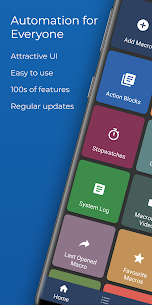
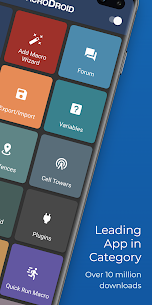
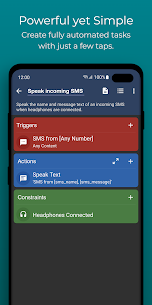
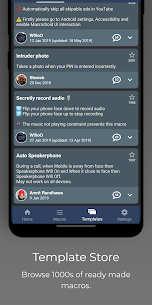
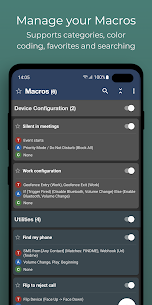
Download links
How to install MacroDroid Mod APK?
1. Tap the downloaded MacroDroid Mod APK file.
2. Touch install.
3. Follow the steps on the screen.
Note: Important!
- Delete all previous Original/Mod before installing the latest mod.
- If necessary, log in with your email/social media. Modded App cannot be logged in with Gmail.
- Enjoy !!!