Mint Keyboard

Description
Mint Keyboard brings built-in artificial intelligence to everyday typing so you can express yourself faster and with more personality. The app focuses on Indian users and supports regional language typing across your favorite chat and social apps. You can customize how the keyboard looks, switch fonts while messaging, and use voice features to type more naturally in local languages.
AI That Learns Your Typing Style
Mint Keyboard actively learns how you write and adapts to your habits over time. It picks up your commonly used local-language words, shortcuts, slang, and even the emojis you prefer, then personalizes suggestions to match your style. This continuous learning helps you type with fewer corrections and less repetition.
Smarter Emojis with Suggestions and Bigmoji
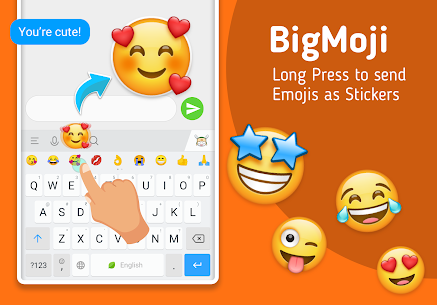
The keyboard recommends relevant emojis while you type, so you can add emotion without hunting through long emoji lists. Mint Keyboard also gives you a large set of free emojis to match different moods. When you want extra impact, you can long-press an emoji to trigger animated Bigmoji and make your reactions stand out.
Stickers and GIFs for Festivals and Daily Chats
Mint Keyboard keeps your chats lively by placing stickers and GIFs directly on the keyboard. You can share festival greetings, fun sticker packs, and trending GIFs without leaving the conversation. The app updates its content frequently and adds new stickers regularly, so you always have something fresh to send.
Fast Typing: Swipe, Autocorrect, and Predictions
Mint Keyboard speeds up typing with swipe input, accurate predictions, and AI-driven autocorrect modes that fit Indian chat patterns. It suggests the next word, corrects common mistakes, and helps you finish messages quickly. The keyboard also pushes special sticker and GIF updates around festivals and events, so you can send timely wishes instantly.
Create Your Own Photo Keyboard and Use Themes
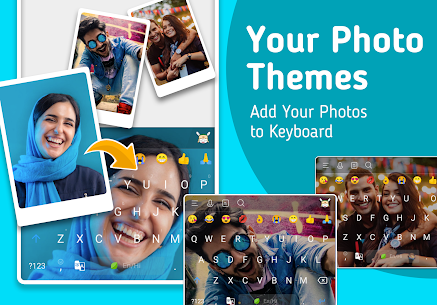
Mint Keyboard lets you build a custom theme using your own photo as the background. You can also choose from colorful themes, wallpapers, and even live animated themes that refresh your keyboard’s look. With weekly theme updates, you can keep the design feeling new without extra effort.
Quick Replies: Respond in One Tap
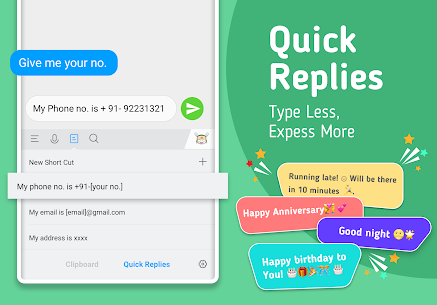
Mint Keyboard reduces repetitive typing by offering smart, contextual quick replies. You can answer common questions instantly, use ready-made wishes, and even start conversations with witty or funny icebreakers. This feature helps you reply faster and keeps chats flowing smoothly.
Type in Your Language: Indian Languages + Transliteration and Voice
Mint Keyboard supports multilingual typing, including Hinglish and mixed-language conversations. You can type in English and let the keyboard transliterate it into a selected Indian language. It also supports speech-to-text, which helps you dictate messages when typing feels slow.
Supported languages (highlights)
English (India), Hindi, Marathi, Tamil, Punjabi, Gujarati, Kannada, Telugu, Malayalam, Assamese, Bangla, Manipuri, Urdu, Odia, Konkani, Bodo, Nepali, Santhali, Bhojpuri, Dogri, Sanskrit, Rajasthani, Marwari, Sindhi, Maithili, and Bahasa Indonesia (plus additional options).
Privacy and Security
Mint Keyboard prioritizes privacy and aims to deliver a secure, seamless typing experience across apps. The platform emphasizes protection and safety so you can type confidently while using AI-powered features.
Images


Download links
How to install Mint Keyboard Mod APK?
1. Tap the downloaded Mint Keyboard Mod APK file.
2. Touch install.
3. Follow the steps on the screen.
Note: Important!
- Delete all previous Original/Mod before installing the latest mod.
- If necessary, log in with your email/social media. Modded App cannot be logged in with Gmail.
- Enjoy !!!