MyLifeOrganized

Mod Info:
- Pro / Paid features unlocked;
- Disabled / Removed unwanted Permissions + Receivers + Providers + Services;
- Optimized and zipaligned graphics and cleaned resources for fast load;
- Ads Permissions / Services / Providers removed from AndroidManifest;
- Ads links removed and invokes methods nullified;
- Ads layouts visibility disabled;
- Google Maps Location works;
- Google Play Store install package check disabled;
- Debug code removed;
- Remove default .source tags name of the corresponding java files;
- Analytics / Crashlytics / Firebase disabled;
- No active trackers or advertisements;
- Languages: Full Multi Languages;
- CPUs: universal architecture;
- Screen DPIs: 120dpi, 160dpi, 240dpi, 320dpi, 480dpi, 640dpi;
- Original package signature changed;
Description
MyLifeOrganized (MLO) is a flexible task manager built for people who want to finish tasks consistently, not just collect to-do lists. It gives you the structure to manage everyday actions, long-term projects, habits, and even broader life goals in one system.
Why MLO Improves Productivity
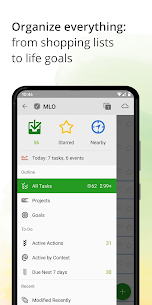
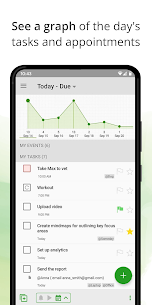
MLO balances simplicity with advanced control. You can organize tasks using optional contexts, tags, stars, flags, reminders, dates, and priorities. You can also build fully customizable filters and views, so the app fits your workflow instead of forcing you into a fixed method. This design makes MLO especially useful for users who take personal productivity seriously and want a system they can refine over time.
Next Actions: Focus on What Matters Now
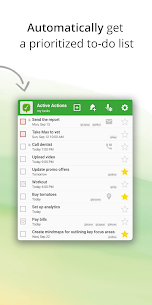
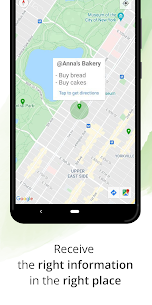
After you load your tasks, MLO generates a clear “next actions” list that highlights only what needs your attention immediately. The app updates that list automatically as you complete tasks, change location, or reach certain times of day. This approach helps you avoid scanning huge lists and instead keeps you moving forward with the right actions.
Sync Across Mobile and Desktop
MLO can sync through the MyLifeOrganized Cloud service so you can use the mobile app alongside the desktop version. You can sync across multiple devices, share a task list, or collaborate with others while keeping data secure through the MLO sync service. If you prefer more control, you can also sync locally over private Wi‑Fi or run fully offline.
Free Features You Get Forever
MLO includes many core features without requiring payment:
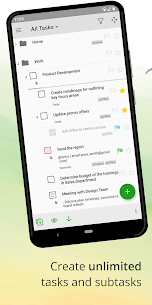
- Unlimited task and subtask hierarchy to build projects and break work into manageable steps
- Full GTD® (Getting Things Done®) support
- Automatic Next Actions list generation
- Smart to-do list sorting based on task priorities and parent priorities
- Context-based filtering
- Inbox for fast task capture
- Starred tasks for quick importance marking
- Zoom mode to focus on one branch of your task tree
- Reminders to keep you on schedule
- Templates to start quickly with systems like GTD®, FranklinCovey, and Do-It-Tomorrow
Images
Download links
How to install MyLifeOrganized Mod APK?
1. Tap the downloaded MyLifeOrganized Mod APK file.
2. Touch install.
3. Follow the steps on the screen.
Note: Important!
- Delete all previous Original/Mod before installing the latest mod.
- If necessary, log in with your email/social media. Modded App cannot be logged in with Gmail.
- Enjoy !!!