OfficeMail Pro

Mod Info:
Paid Features Unlocked
● No ads
● Stable mod
● Debug info removed
● No active trackers or advertisements
● Requires android 5.0 and up
● CPUs arch: Universal
● Optimized and cleaned resources for fast loading
Description

OfficeMail Pro is an ActiveSync-based email client that focuses on security, safety, and everyday convenience. The app strengthens collaboration by adding features such as shared mailboxes and shared calendars, which makes it a strong option for teams as well as individuals who want a business-ready mail experience. OfficeMail Pro supports Microsoft Exchange Server, Office 365, and Google Workspace, and it brings email, calendar, contacts, tasks, and notes together in one integrated workspace.
Trial and Pricing: How the Subscription Works
OfficeMail Pro does not offer full free access as a standalone free app. Instead, it provides a 2-week trial so you can evaluate the experience before paying. If you feel satisfied after the trial, you can continue by purchasing a yearly subscription:
- Yearly subscription: $19.99
Your subscription renews automatically unless you disable auto-renew at least 24 hours before the current period ends. You can manage subscriptions and switch off auto-renew in your Google Play Account Settings. If a free trial is available, any unused portion ends when you purchase a subscription.
Core Sync and Delivery: Push Email with ActiveSync
OfficeMail Pro delivers email using Direct Push Synchronization via Exchange ActiveSync. The app also runs its own push server, which supports near real-time delivery while keeping your mail workflow consistent across accounts and devices.
Collaboration Features: Share Mailboxes and Calendars
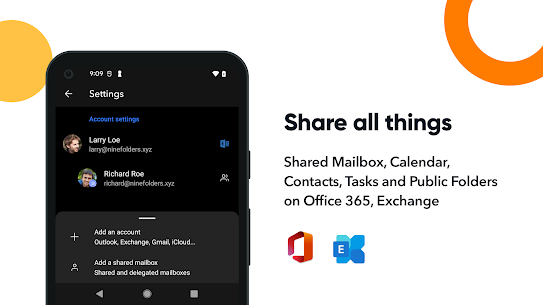
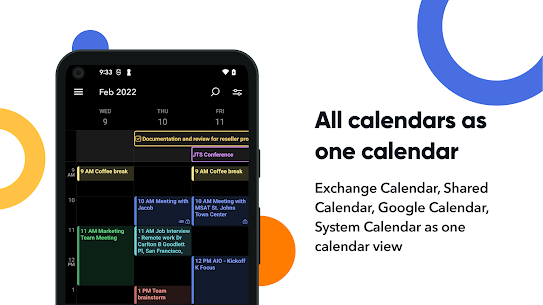
OfficeMail Pro supports collaboration with shared mailboxes and shared calendars, helping colleagues coordinate schedules and manage group communications. This makes it especially useful in organizations that rely on Exchange or Office 365 for shared resources.
Productivity and User Experience Tools
OfficeMail Pro improves daily email work with a polished interface and practical tools, including:
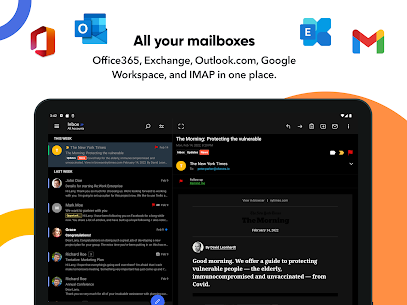
- Unified mailboxes and multiple account support
- Workspace support for organizing accounts
- Folder-level push selection, with notifications per folder
- Conversation mode for threaded email reading
- Notification categories for better alert control
- Dark theme for comfortable viewing
Compose and Security: Rich Text, HTML, and S/MIME
OfficeMail Pro includes a rich-text editor and supports full HTML for both incoming and outgoing messages. You can create professional signatures with a full HTML signature editor. For organizations that require secure messaging standards, the app also supports S/MIME.
Directory and Login Support
The app integrates with enterprise address systems by supporting the Global Address List (GAL). It also supports Modern Authentication for Office 365, which helps organizations that use Microsoft’s updated sign-in methods.
Quick Setup for Popular Providers
OfficeMail Pro offers automatic setup for many widely used services, including Office 365, Outlook.com, Gmail, and Google Workspace, which reduces the time you spend configuring accounts manually.
Supported Servers and Services
OfficeMail Pro supports major platforms and providers, including:
- Exchange Server 2010, 2013, 2016, 2019
- Office 365 / Exchange Online
- Outlook.com
- Gmail / Google Workspace (G Suite)
- Yahoo, iCloud, GMX, AOL
Images


Download links
How to install OfficeMail Pro Mod APK?
1. Tap the downloaded OfficeMail Pro Mod APK file.
2. Touch install.
3. Follow the steps on the screen.
Note: Important!
- Delete all previous Original/Mod before installing the latest mod.
- If necessary, log in with your email/social media. Modded App cannot be logged in with Gmail.
- Enjoy !!!