Photo Editor

Mod Info:
- AdFree / Paid features unlocked;
- Disabled / Removed unwanted Permissions + Receivers + Providers + Services;
- Optimized and zipaligned graphics and cleaned resources for fast load;
- Ads Permissions / Services / Providers removed from AndroidManifest;
- Ads links removed and invokes methods nullified;
- Ads layouts visibility disabled;
- Google Play Store install package check disabled;
- Debug code removed;
- Remove default .source tags name of the corresponding java files;
- Analytics / Crashlytics / Firebase disabled;
- No active trackers or advertisements;
- AOSP compatible mode;
- Languages: Full Multi Languages;
- CPUs: armeabi-v7a, arm64-v8a, x86, x86_64;
- Screen DPIs: 120dpi, 160dpi, 240dpi, 320dpi, 480dpi, 640dpi;
- Original package signature changed;
Description
Photo Editor helps you produce polished, professional-looking images on a phone or tablet, even if you have never edited photos before. The app gives you PC-style controls in a mobile-friendly workflow, so you can refine pictures quickly when you don’t have access to a computer. You can complete edits fast, save in common formats, and use the finished images for social posts, work files, or personal archives.
A Feature-Rich Editing Workspace That Covers Most Needs
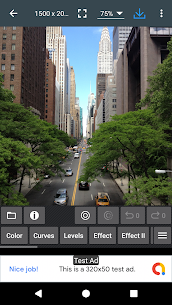
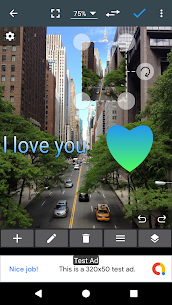
Photo Editor includes many professional tools, so the interface can feel busy at first. New users may need a short adjustment period, but the layout becomes easier as you learn where each option sits. After you import an image, the app presents a full editing menu with tools for enhancement, correction, and finishing touches. It also offers options to store and share your work, which makes it useful for casual photographers and content creators who want strong results on the go.
Built-In Image Processing Toolbox
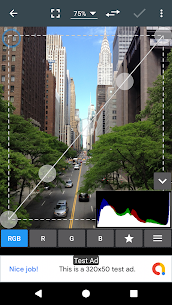
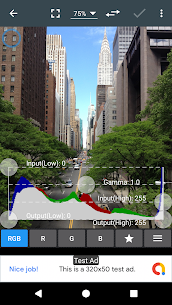
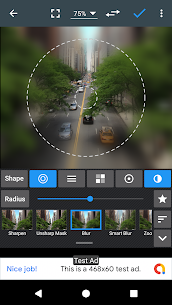
Photo Editor delivers a practical toolbox that lets you improve photos immediately after you load them. You can handle core adjustments like color correction and transparency, then refine details to create a more professional finish. The app gives you controls for contrast, exposure, saturation, temperature, tint, and other color settings, so you can build a consistent look or correct difficult lighting. You can also adjust gamma, vibrance, blur, sharpness, and contrast to change mood and clarity.
For composition fixes, you can rotate and crop images into different shapes and sizes. When you need restoration, the app lets you repair areas by replacing pixels or duplicating parts of the image with precision, which helps when you remove small defects or rebuild damaged sections.
Full Format Support for Common Image Types
Photo Editor opens and edits many popular formats, including JPEG, PNG, GIF, WEBP, and PDF. This wide support helps you work with images from different sources without constant file conversion. If you receive a file type the app doesn’t support, you can convert it using external tools and then continue editing. The app also encourages you to think about file size and portability—metadata (such as EXIF/IPTC/XMP) can increase file weight and expose extra information, so you may prefer to keep exports clean when you plan to share widely. If you compress files to save space, you usually trade a bit of image quality for smaller storage needs.
Save, Share, and Back Up with Less Friction
Because you edit mobile photos, you can distribute them quickly. Photo Editor lets you preview your final result before saving it to your gallery, which reduces mistakes and repeat exports. You can share edited images directly to friends and family using built-in sharing options, including social networks or email. If sharing fails, the app can guide you through alternative methods.
For long-term storage and device-to-device access, Photo Editor can also connect with common cloud services such as Google Drive, Dropbox, and Box, so you can back up your work and keep it available beyond your phone’s local storage.
Images
Download links
How to install Photo Editor Mod APK?
1. Tap the downloaded Photo Editor Mod APK file.
2. Touch install.
3. Follow the steps on the screen.
Note: Important!
- Delete all previous Original/Mod before installing the latest mod.
- If necessary, log in with your email/social media. Modded App cannot be logged in with Gmail.
- Enjoy !!!