Pixel+ Music Player

Mod Info:
- No root or Lucky Patcher or Google Play Modded required;
- Disabled / Removed unwanted Permissions + Receivers + Providers + Services;
- Optimized and zipaligned graphics and cleaned resources for fast load;
- Ads Permissions / Services / Providers removed from AndroidManifest;
- Ads links removed and invokes methods nullified;
- Ads layouts visibility disabled;
- Google Play Store install package check disabled;
- Debug code removed;
- Remove default .source tags name of the corresponding java files;
- Analytics / Crashlytics / Firebase disabled;
- AOSP compatible mode;
- Languages: Full Multi Languages;
- CPUs: universal architecture;
- Screen DPIs: 120dpi, 160dpi, 240dpi, 320dpi, 480dpi, 640dpi;
- Original package signature changed;
Description
Pixel brings your entertainment into a single, well-organized app. It works as a complete music player while also adding online radio, podcast playback, and local video browsing. Pixel follows Material Design closely, so you get a clean interface, smooth navigation, and controls that feel familiar on Android. Instead of switching between several apps, you can listen, discover, and manage your media from one place.
Music Player: Fast Library Browsing and Folder View
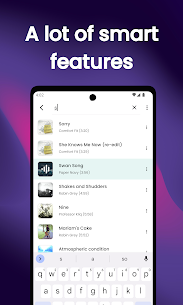
Pixel lets you explore your local music library with an intuitive layout and powerful browsing options. You can sort and play tracks normally or use Folder View to navigate your audio files the way they exist on storage. The player also supports queue management, so you can drag, reorder, and control what plays next without interrupting your session.
Radio Player: Find Stations by Genre, Keyword, and Taste
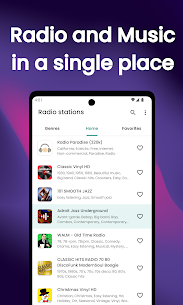
Pixel streams online radio stations and helps you search by genre or keyword. When you don’t know what to play, the app suggests stations based on the genres and artists you already like. This discovery approach helps you find new channels quickly while still matching your listening style.
Podcast Player: Subscribe, Organize Episodes, and Get Alerts
Pixel includes a dedicated podcast section where you can search shows, browse by categories, and subscribe to your favorites. The app collects episodes in a clear list so you can play them in order and keep track of what you’ve already finished. Pixel also sends notifications when a subscribed podcast releases a new episode, so you stay up to date automatically.
Video Player: Local Videos and Podcast Video Episodes
Pixel doesn’t stop at audio. It also works as a video player for your local library and can help you find and play podcast video episodes, making it useful if you follow shows that publish both audio and video content.
Built-In Equalizer and Audio Enhancements
Pixel improves sound with a built-in 5-band equalizer, Bass Boost, and 3D Sound, plus multiple presets. If you prefer system-wide or third-party solutions, Pixel can also work with external equalizers such as system EQ, Viper, or Cyanogen-based options (when available on your device).
Customization, Controls, and Daily Convenience Features
Pixel adds practical tools that make everyday listening easier:
- Material Design with Light, Black, and Dark Grey themes
- Full Material palette to customize player colors
- Gapless playback for albums and continuous mixes
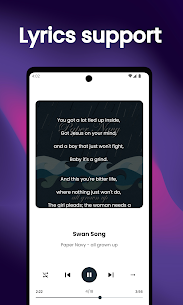
- Album art download (automatic or manual) and lyric download via album art tap
- Lockscreen and notification controls, headset button support, and widgets
- Metadata editing (artist, album, track, genre, year)
- Sleep timer, transition/animation settings, and many UI customizations
- Set any song as your default ringtone
- Last.fm scrobbling support for listening history tracking
Images


Download links
How to install Pixel+ Music Player Mod APK?
1. Tap the downloaded Pixel+ Music Player Mod APK file.
2. Touch install.
3. Follow the steps on the screen.
Note: Important!
- Delete all previous Original/Mod before installing the latest mod.
- If necessary, log in with your email/social media. Modded App cannot be logged in with Gmail.
- Enjoy !!!