PixelLab

Mod Info
● Paid Features Unlocked
● No ads
● Stable mod
● Debug info removed
● No active trackers or advertisements
● Requires android 5.0 and up
● CPUs arch: Universal
● Optimized and cleaned resources for fast loading.
Description
Pixel Lab Photo Editor makes it easy to add stylish text, 3D text, shapes, stickers, and drawings to your photos. With a simple and clean interface, you can focus on your creativity. The app offers a wide selection of presets, fonts, stickers, and backgrounds, along with more than 60 customizable options. Combined with your imagination, you can create stunning graphics and impress your friends directly from your phone or tablet.
If you want to see the app in action, check out this YouTube playlist with tutorials:
Features:
- Text: Add and customize as many text objects as you want.
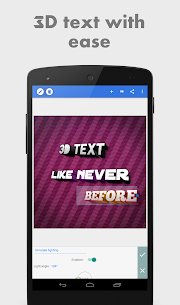
- 3D Text: Create 3D text and overlay it on images or use it in standalone posters.
- Text Effects: Enhance your text with effects such as shadow, inner shadow, stroke, background, reflection, emboss, mask, and 3D effects.
- Text Color: Apply solid colors, linear gradients, radial gradients, or image textures.
- Text Fonts: Choose from over 100 hand-picked fonts or use your own.
- Stickers: Add and customize stickers, emojis, and shapes.
- Import Images: Add your own images from the gallery, perfect for custom stickers or image compositing.
- Draw: Choose a pen size and color to draw freely. Your drawing becomes a shape that can be resized, rotated, and styled with shadows.
- Change Background: Set the background to a color, gradient, or image.
- Save as Project: Save your work and continue editing later, even after closing the app.
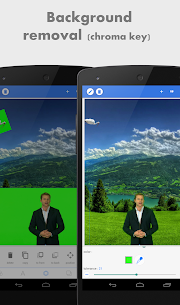
- Remove Background: Make backgrounds transparent, including green screens, blue screens, or plain backgrounds.
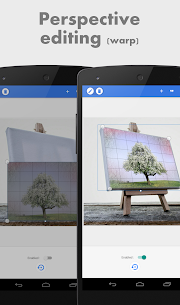
- Edit Image Perspective: Perform perspective editing (warp), useful for replacing monitor content, changing sign text, or adding logos to objects.
- Image Effects: Improve your photos with effects such as vignette, stripes, hue, and saturation.
- Export Images: Save or share your images in any format or resolution. Use Quick Share buttons to post directly to social media platforms like Facebook, Twitter, and Instagram.
- Create Memes: Use built-in meme presets to create shareable memes in seconds.
- Browse Quotes: Explore and insert quotes into your creations.
If you have suggestions, questions, or want to report a bug, please use the feedback feature or contact the developer directly via email.
Images


Download links
How to install PixelLab Mod APK?
1. Tap the downloaded PixelLab Mod APK file.
2. Touch install.
3. Follow the steps on the screen.
Note: Important!
- Delete all previous Original/Mod before installing the latest mod.
- If necessary, log in with your email/social media. Modded App cannot be logged in with Gmail.
- Enjoy !!!