Resize Me! Pro
3.0.2
Resize your photos easily with 'Resize Me!' before sending them by Email or sharing them on Twitter, Facebook, Instagram, ...

Report this app
Description
Resize Me! helps you resize photos quickly before you send them by email or post them on apps like Twitter/X, Facebook, Instagram, and more. You can resize in a single tap, or open the editor to rotate, crop, and fine-tune image dimensions before saving or sharing.
Main Editing Features
Resize Me! includes practical tools for everyday image prep:
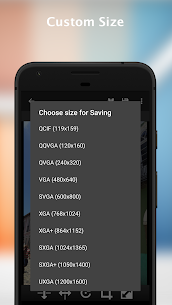
- Set a custom size
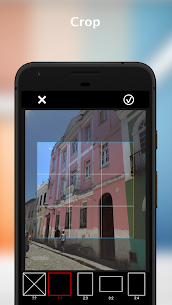
- Rotate and crop images
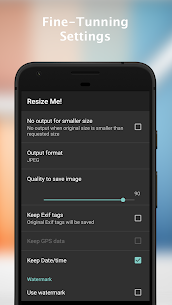
- Export as JPEG or PNG
- Keep EXIF metadata
- Keep GPS data (if present in the photo)
- Set as wallpaper
- Share the result directly or save it to storage
Full Version Extras
If you upgrade to the full version, you unlock:
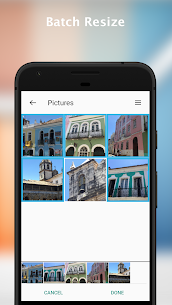
- Batch resize for resizing multiple photos at once
- Text watermark support
How to Use Resize Me!
Use from the app
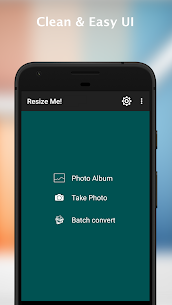
- Open Resize Me!
- Select a photo (or take one with the camera)
- Rotate, crop, and resize
- Save or share the output
Use from your Gallery or photo viewer
- Open an image in your viewer (such as Gallery)
- Tap Share or Send
- Choose Resize Me!
- Pick the new size
- Select the app you want to open or share the resized image with
Use while attaching an image in email apps
- Tap the Attach button
- Choose Resize Me!
- Select your viewer (like Gallery)
- Pick one image (or a list, if supported)
- Choose the image size and continue attaching/sharing
Images
Download links
5
How to install Resize Me! Pro Mod APK?
1. Tap the downloaded Resize Me! Pro Mod APK file.
2. Touch install.
3. Follow the steps on the screen.
Note: Important!
- Delete all previous Original/Mod before installing the latest mod.
- If necessary, log in with your email/social media. Modded App cannot be logged in with Gmail.
- Enjoy !!!