SeriesGuide
Uwe Trottmann Soft
11.13 MB
2026.1.2
Varies with device
1,000,000+

Mod Info:
- Premium / Paid features unlocked – no key required;
- Disabled / Removed unwanted Permissions + Receivers + Providers + Services;
- Optimized and zipaligned graphics and cleaned resources for fast load;
- Remove default .source tags name of the corresponding java files;
- Analytics disabled;
- Debug code removed;
- Languages: Full Multi Languages;
- CPUs: armeabi-v7a, arm64-v8a, x86, x86_64;
- Screen DPIs: 120dpi, 160dpi, 240dpi, 320dpi, 480dpi, 640dpi;
- Original package signature changed;
Description
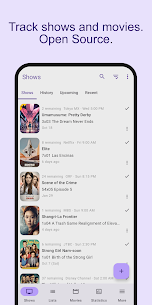
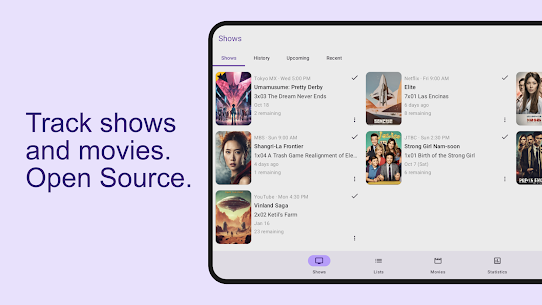
SeriesGuide is a free app that helps you find TV shows and movies and keep an organized record of what you’ve watched. You can track episodes, monitor progress across seasons, and stay on top of what’s coming next without relying on memory.
Discover TV Shows and Movies Across Streaming Services
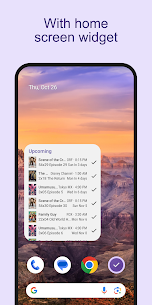
SeriesGuide helps you explore what to watch by showing what’s new, popular, and related to titles you already follow. It can also surface what’s available on your streaming services, so you spend less time searching and more time watching.
Know What to Watch Next and Where to Watch It
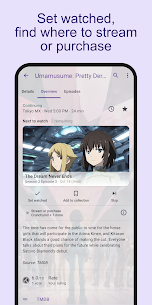
The app supports “what and where to watch” planning. You can see which episode is next in your queue and check where a show or movie is available to stream or purchase, which helps when content moves between services.
Track Watched Episodes and Movies
SeriesGuide lets you check off episodes and movies as you finish them. It keeps your watch history organized and shows your viewing progress clearly, so you always know how far you are in a series and when new episodes arrive.
Backup and Sync with SeriesGuide Cloud (Paid)
If you use multiple devices, SeriesGuide Cloud lets you back up and sync your shows, lists, and movies across them. This sync feature requires payment.
Optional Trakt Integration
SeriesGuide can connect to Trakt to sync watched and collected episodes and movies. With Trakt, you can access your history, see what others watch, and post ratings and comments to share your opinions.
Images

Download links
How to install SeriesGuide Mod APK?
1. Tap the downloaded SeriesGuide Mod APK file.
2. Touch install.
3. Follow the steps on the screen.
Note: Important!
- Delete all previous Original/Mod before installing the latest mod.
- If necessary, log in with your email/social media. Modded App cannot be logged in with Gmail.
- Enjoy !!!