
Signal Strength

Mod Info:
- Premium / Paid features unlocked;
- Disabled / Removed unwanted Permissions + Receivers + Providers + Services;
- Optimized and zipaligned graphics and cleaned resources for fast load;
- Ads Permissions / Services / Providers removed from AndroidManifest;
- Ads links removed and invokes methods nullified;
- Ads layouts visibility disabled;
- Google Play Store install package check disabled;
- Debug code removed;
- Remove default .source tags name of the corresponding java files;
- Assets folder removed completely;
- Analytics / Crashlytics / Firebase disabled;
- Languages: Full Multi Languages;
- CPUs: armeabi-v7a, arm64-v8a, x86, x86_x64;
- Screen DPIs: 160dpi, 240dpi, 320dpi, 480dpi, 640dpi;
- Original package signature changed;
Description
Signal Strength helps you understand whether your phone actually has a usable connection—especially if you live or work in an area with weak reception. The app shows you real cellular and Wi‑Fi signal levels, helps confirm whether mobile data is connected, and can indicate if your device is truly using 5G. You can walk around your home or office and quickly see which rooms or corners give you the best coverage.
Tools for Everyday Users
Signal Strength includes practical features that make it easy to check connectivity at a glance:
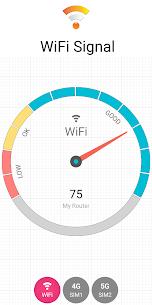
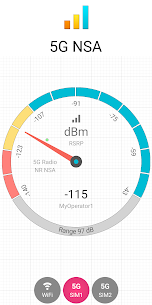
- Signal meter for 2G, 3G, 4G, 5G, and Wi‑Fi
- Signal charts with a logger to track changes over time
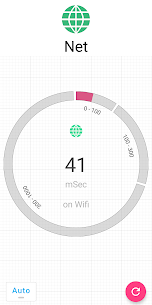
- Connectivity checks to confirm you’re actually online
- Built-in speed test
- Wi‑Fi scanning to view nearby networks
- Home screen widgets for signal and device status (widgets that include signal, latency/connectivity, network, battery, clock, and storage are listed as Pro features)
- Status bar signal notifications (listed as a Pro feature)
Advanced Network Details for Power Users
If you want deeper diagnostics, the app exposes technical network information such as:
- RF details like dBm, channel, bandwidth, link speed, and frequency
- Network statistics and performance indicators
- Nearby cell tower information (where your device/Android version allows it)
- Latency readings
- Alerts for out of service, low signal conditions, and roaming
Alerts and Logging to Find the Best Reception Spots
The app can log signal behavior and send alerts when service drops or becomes weak. This is useful when you want to identify patterns—such as one room consistently losing connection—or confirm which area provides stable signal for calls, video meetings, or gaming.
Permissions: What the App Requests and Why
Signal Strength states it uses sensitive permissions only to display signal and network info:
- Phone permission: required to read SIM, network, and phone state details.
- Location permission: Android protects many cellular and Wi‑Fi signal details behind precise location permission. The app says it does not use location data for tracking, but it needs permission to show the protected signal information.
- Background location access: required if you use features that must update while the app is not open, such as widgets, notifications, logs, and signal/roaming alerts.
Images


Download links
How to install Signal Strength Mod APK?
1. Tap the downloaded Signal Strength Mod APK file.
2. Touch install.
3. Follow the steps on the screen.
Note: Important!
- Delete all previous Original/Mod before installing the latest mod.
- If necessary, log in with your email/social media. Modded App cannot be logged in with Gmail.
- Enjoy !!!
Related apps





Developer's apps


Latest Apps
Popular apps


