Speed Camera Radar PRO

Mod Info
● Paid | Paid Features Unlocked
● Stable mod
● No active trackers or advertisements
● Requires android 5.0 and up
● CPUs arch: Universal
● Optimized and cleaned resources for fast loading.
Description

Speed Camera Radar is a driving safety application designed to help motorists identify road hazards in real time. The app alerts users to speed cameras, including mobile ambush cameras, fixed speed cameras, and red-light cameras. It also warns about speed bumps, damaged roads, and other potential dangers that could affect driving safety.
The application relies on a continuously updated database of points of interest (POIs) and hazards reported by other drivers. By using shared data, it provides accurate and practical alerts while you are on the road.
To function properly, the app requires GPS to be enabled so it can detect your location and notify you of hazards during your journey. The system supports all countries worldwide, making it a reliable companion for both local and international drivers.
Community-Based Hazard Database
The app operates on a collaborative platform where registered users actively contribute to improving the hazard database. Any registered user can add new hazards to the shared system, ensuring that the information remains current and relevant.
Users also play a role in maintaining data accuracy. When the app issues a danger alert, drivers can confirm whether the hazard actually exists. This feedback system improves reliability by adjusting hazard ratings based on real-world validation.
Registered users receive additional privileges. They can manage POI objects directly on the map, including deleting outdated or irrelevant hazards from the shared database. This approach keeps the information clean, accurate, and useful for all drivers.
Background Operation and Voice Alerts
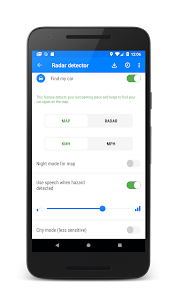
The application continues running in the background, even when the screen is turned off. Drivers can enable the “Use speech when hazard detected” option to receive voice notifications without actively viewing the screen.
This feature enhances safety because drivers can keep their eyes on the road while still receiving timely alerts about upcoming hazards.
How to Use the Application
1. Update the Hazard Database
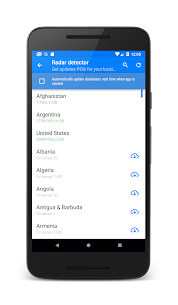
After installing the app, open the menu and select “Update database.” Download and install the latest speed camera database for your country or region. This step ensures that you receive the most accurate and up-to-date hazard information.
2. Activate the Radar
Press the “Start” button located at the bottom-right corner of the screen to activate the radar system. Once activated, the app begins monitoring your route and providing alerts.
3. Receive Route-Based Notifications
The app only notifies you about hazards located along your current route. This targeted alert system prevents unnecessary distractions and keeps notifications relevant to your journey.
4. Access Main Settings
Swipe from the left edge of the screen to the right to open the main settings menu. From here, you can configure various features according to your preferences.
5. Customize Hazard Filters
Swipe from the right edge of the screen to the left to access the hazard filter menu. You can choose which types of dangers you want the system to detect and display.
Key Features
Map and Radar View Modes
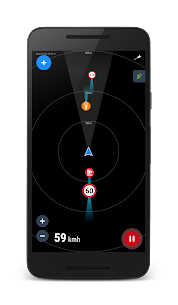
The app provides both Map and Radar display modes. It renders map data without requiring an internet connection, allowing you to access essential hazard information even in areas with limited connectivity.
Night Mode Support
You can enable Night Mode for the map through the settings menu. The app also allows manual adjustment of screen brightness for safer nighttime driving.
3D Map and Auto Navigation Enhancements
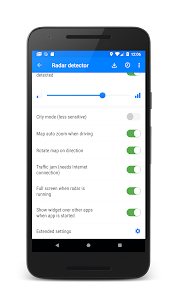
The application supports 3D map tilt and displays 3D buildings where available. It automatically zooms and rotates the map according to your movement, ensuring optimal visibility during navigation.
Traffic Jam Display
The app shows traffic congestion directly on the map, helping drivers make informed decisions and adjust their routes when necessary.
Real-Time Speed Dashboard
A built-in dashboard displays your current speed while driving. This feature helps you maintain awareness and comply with speed limits.
Extensive Global Hazard Coverage
The system includes more than 300,000 active hazard POIs worldwide. The database receives daily updates to maintain accuracy and reliability.
Voice Alerts and Background Compatibility
The application supports voice notifications and works seamlessly in the background. It also integrates with other navigation apps, allowing you to use multiple tools simultaneously.
Add and Manage Custom POIs
Users can add their own POIs to the shared database, contributing to the community-driven safety network. The app plays an alert sound and displays the hazard location on the map along with the distance to the danger point.
Drive Safely
Speed Camera Radar helps drivers stay informed and prepared while on the road. By combining GPS tracking, community reporting, voice alerts, and real-time updates, the application enhances driving awareness and safety.
Stay attentive, drive responsibly, and always prioritize safety on every journey.
Images

Download links
How to install Speed Camera Radar PRO Mod APK?
1. Tap the downloaded Speed Camera Radar PRO Mod APK file.
2. Touch install.
3. Follow the steps on the screen.
Note: Important!
- Delete all previous Original/Mod before installing the latest mod.
- If necessary, log in with your email/social media. Modded App cannot be logged in with Gmail.
- Enjoy !!!