
Squid
Steadfast Innovation LLC
30 MB
4.9.2-GP
Varies with device
10,000,000+

Mod Info
● Premium | Paid Features Unlocked
● No ads
● Stable mod
● Debug info removed
● No active trackers or advertisements
● Requires android 5.0 and up
● CPUs arch: Universal
● Optimized and cleaned resources for fast loading.
Description

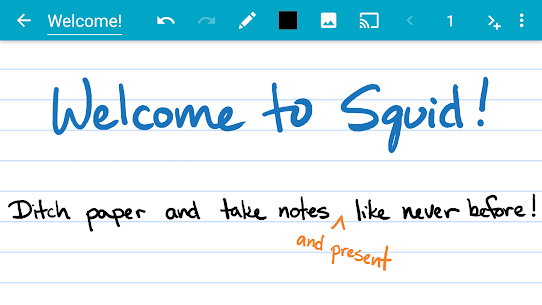
Transform your note-taking experience with Squid. For over 12 years, Squid has been a trusted app with more than 12 million installs, helping users replace paper, save money, and reduce waste. Write naturally on your Android tablet, phone, or Chromebook—just like you would on paper.
Key Features:
Natural Writing: Write smoothly with a pen and erase with your finger on active pen-enabled devices such as Samsung devices with S Pen. Use your finger or a capacitive stylus on other devices.
Low Latency Ink: Enjoy a responsive, fluid writing experience with support for low-latency ink.
Private: Notes are stored on your device and remain completely private. No account or sign-in required. Back up your notes to your preferred location.
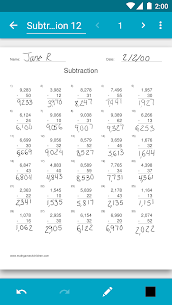
PDF Markup: Annotate PDFs, fill out forms, edit or grade papers, and sign documents with ease.
Versatile Tools: Use any color pen or highlighter, import images, draw shapes, and add typed text.
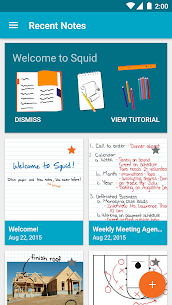
Organize: Select, copy, paste, and move content between pages and notes. Keep everything organized in folders.
Presentations: Turn your device into a virtual whiteboard and cast your notes to a TV or projector.
Export: Export notes as PDFs, images, or Squid Note format and share or store them in the cloud.
Save: Reduce stationery costs and replace paper notebooks with Squid for eco-friendly note-taking.
Awards and Recognition:
Featured App and Editors’ Choice on Google Play
Category Honorable Mention for Productivity in the Samsung Galaxy Note S Pen App Challenge
Popular Choice Award in the Dual Screen App Challenge
Squid Premium:
- Premium paper backgrounds for math, engineering, music, sports, planning, and more
- Import and markup PDFs
- Additional tools such as highlighter, true eraser, shapes, and text
- Backup, restore, and bulk export notes as PDFs to Google Drive, Dropbox, or Box
Base Features:
- Vector graphics engine keeps notes sharp at any zoom level and on any device
- Multiple paper backgrounds (blank, ruled, graph) and sizes (infinite, letter, A4)
- Stroke eraser to remove entire letters or words quickly
- Undo and redo, select, move, and resize
- Change color and weight of selected items
- Cut, copy, and paste between notes
- Two-finger scrolling, pinch-to-zoom, and double-tap for quick zoom
- Sort and organize notes and folders
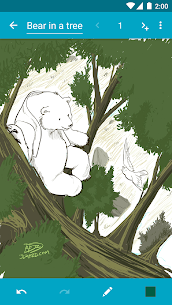
- Import, crop, and resize images
- Export notes to PDF, PNG, JPEG, or Squid Note format
- Share notes via email, Google Drive, Evernote, and more
- Multi-Window support to take notes while watching a video
- Shortcuts to create new notes or open folders
- Dark theme
Increase your productivity and unleash your creativity with digital handwritten notes. Try Squid for free today.
Images

Download links
How to install Squid Mod APK?
1. Tap the downloaded Squid Mod APK file.
2. Touch install.
3. Follow the steps on the screen.
Note: Important!
- Delete all previous Original/Mod before installing the latest mod.
- If necessary, log in with your email/social media. Modded App cannot be logged in with Gmail.
- Enjoy !!!
Related apps




Latest Apps
Popular apps


