Tasker

Description
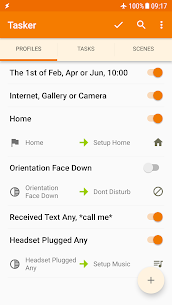
Tasker removes repetitive work by letting your Android device run actions automatically. You build “profiles” that react to real-world conditions (called contexts) and then execute tasks you define. This flexibility lets you automate everything from simple daily routines—like changing volume when you leave home—to advanced workflows that combine multiple triggers and actions. See example use cases here: https://tasker.joaoapps.com/exampleuses.html
Automations (Contexts and Triggers)
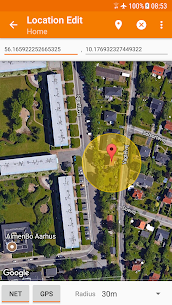
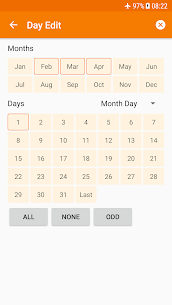
Tasker can start actions based on 130+ states and events. You can trigger automation using your current app, time of day, location, connected Wi‑Fi network, incoming SMS or calls, the song that’s playing, and many other conditions. You can build rules that run quietly in the background and keep your phone behaving the way you want without constant manual changes. Video guide: https://www.youtube.com/watch?v=s6EAbLW5WSk
350+ Actions to Control Your Device
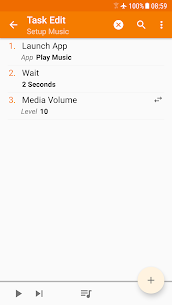
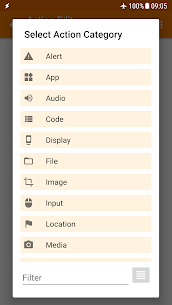
Tasker offers 350+ actions to customize your phone deeply. You can send SMS, create notifications, open apps, manage files, control music playback, fetch location, and adjust system settings such as volumes and Do Not Disturb. Tasker covers many settings people normally change by hand every day, and it can apply them instantly when your conditions match.
Root: Usually Not Required
Tasker works without root for most features. Android security limits a few actions on some devices—such as killing apps or toggling mobile data—so those specific actions may require root. Tasker does not bypass Android protections; it follows what the system allows.
Automatic File Backups and Storage Targets
If you configure it, Tasker can back up files automatically to a folder you choose. You can store backups on internal storage, an SD card, a USB drive, or Google Drive. This setup helps you protect important files and keep copies organized without remembering to do it manually.
Download and Install APKs (When You Request It)
Tasker can check a website for updated APKs, download them, and start the installation process—only if you create a task that does this. This feature supports update workflows you control, such as monitoring a page for a new build and then prompting you to install it.
Manual Controls: Shortcuts, Tiles, Buttons, and More
Tasker also supports manual triggers when you want instant control. You can start tasks from launcher shortcuts, Quick Settings tiles, widgets, media buttons (including Bluetooth headsets), long-pressing volume keys, navigation bar actions, notifications, and other entry points.
Remote Control with Join (Optional)
When you pair Tasker with Join, you can trigger Tasker tasks from another Android device or a PC. This combination expands automation beyond one phone and supports cross-device workflows. Join link: https://play.google.com/store/apps/details?id=com.joaomgcd.join
Scenes: Build Your Own Mini Interfaces
Tasker includes “Scenes,” which let you design custom UI panels. You can display live info (like status, variables, or controls) and add buttons or sliders that run tasks immediately.
Build Standalone Apps with Tasker App Factory
If you want to package your automations, you can create standalone apps using Tasker App Factory. This option helps you share a workflow with others or deploy it like a dedicated utility app: https://play.google.com/store/apps/details?id=net.dinglisch.android.appfactory
Developer-Friendly Integrations and Web APIs
Many third-party apps support Tasker through plugins, letting you listen for app events and run in-app actions. Tasker can also call web services through HTTP Auth and HTTP Request actions, which makes it useful for API-based automation and smart-home-style workflows. Plugin list: https://tasker.joaoapps.com/pluginlist.html and HTTP example: https://youtu.be/yAt2D1XmgUI.
Images
Download links
How to install Tasker Mod APK?
1. Tap the downloaded Tasker Mod APK file.
2. Touch install.
3. Follow the steps on the screen.
Note: Important!
- Delete all previous Original/Mod before installing the latest mod.
- If necessary, log in with your email/social media. Modded App cannot be logged in with Gmail.
- Enjoy !!!