Textra SMS

Mod Info
● Pro | Paid Features Unlocked
● No ads
● Stable mod
● Debug info removed
● All premium features are working
● No active trackers or advertisements
● Requires android 8.0 and up
● CPUs arch: Universal
● Optimized and cleaned resources for fast loading.
Description
Textra replaces the stock SMS/MMS app that comes with your phone and gives you more speed, more customization, and more control. If you want features like scheduling texts, changing the look of conversations, or managing notifications per chat, Textra gives you those options in one streamlined messaging app.
Deep Customization: Themes, Colors, Fonts, and Bubbles
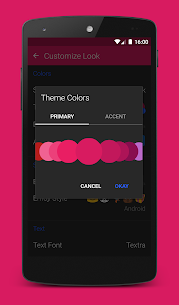
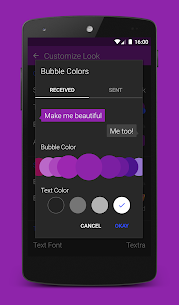
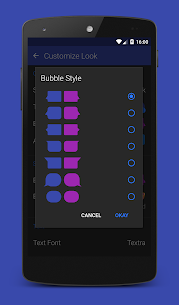
Textra focuses heavily on personalization. You can choose from 180+ Material Design themes and customize bubble colors, app icon colors, and multiple display modes such as light, dark, black, night, and Android screen modes. You can also change bubble styles, adjust text size (up to 21 sizes), and pick from multiple font options.
Messaging Tools That Make Texting Easier
Textra adds practical features designed for everyday use, including:
- Scheduled (future) SMS and MMS
- Send delay to prevent accidental sends
- Slide to delete and slide to call
- Quick reply popup for incoming SMS
- Strong MMS group messaging
- Message pin-to-top for important chats
- Message blocker / blocklisting
- Automatic video and picture compression
Faster Media Sharing and Extras
You can capture and share content quickly using built-in tools like a quick-snap camera, multi-select image gallery, voice memos, and a large selection of GIFs. These features help you send media without jumping between multiple apps.
Per-Conversation Control
Textra lets you customize each conversation individually. You can set unique themes and bubble colors per chat, add signatures, and control notifications per contact—such as icon shape, sound, privacy settings, reminders, and muting.
Emoji Styles and iOS Reaction Support
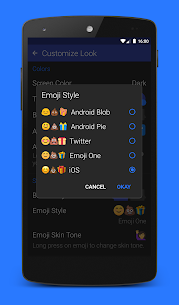
Textra includes emoji packs in multiple styles, including Android, Twitter, JoyPixels, and iOS-style emojis, with skin tone diversity options. It also supports iOS reactions (Tapbacks), so reactions from Apple users display properly—like a heart or “loved” reaction shown directly on the message. Textra also lets you send reactions.
Copy Only the Text You Need
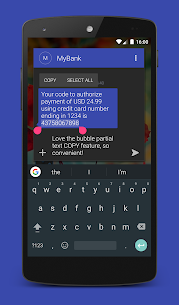
Textra includes a partial text copy feature. You tap a message bubble, select the part you want, and copy only that section instead of copying the entire message.
Works with Popular Notification Tools and Android Auto
Textra stays compatible with Pushbullet, MightyText, and Android Auto, which improves notification syncing and makes quick replies easier while you use other devices or drive.
Images
Download links
How to install Textra SMS Mod APK?
1. Tap the downloaded Textra SMS Mod APK file.
2. Touch install.
3. Follow the steps on the screen.
Note: Important!
- Delete all previous Original/Mod before installing the latest mod.
- If necessary, log in with your email/social media. Modded App cannot be logged in with Gmail.
- Enjoy !!!