Total Commander

Mod Info:
- Languages: Full Multi Languages;
- CPUs: armeabi, armeabi-v7a, arm64-v8a, x86, x86_64, mips;
- Screen DPIs: 120dpi, 160dpi, 240dpi, 320dpi, 480dpi, 640dpi;
- Disable Greenify detection / warning;
Description
Total Commander brings the well-known desktop file manager experience to Android. It focuses on fast, practical file handling with a familiar two-panel workflow, powerful selection tools, and support for extensions through plugins. You can use it for everyday file cleanup, moving folders between storage locations, working with archives, and connecting to servers or cloud services.
Important Note About Ads and the “Plugins” Link
Total Commander does not show ads. However, the home folder includes an “Add plugins (download)” link. Google Play may label this as advertising because it links to other apps published as plugins.
Core File Operations
You can copy and move entire folders (including subfolders), rename files in place, create directories, and delete items (the app does not use a recycle bin). Drag & drop works through a long press on a file icon, letting you reposition and move items quickly.
Archives and File Properties
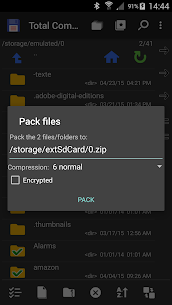
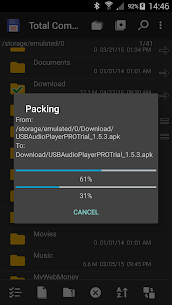
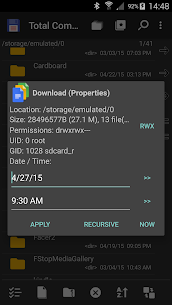
Total Commander can zip and unzip files and also supports unrar. You can open a properties dialog, view details, and change permissions when needed.
Built-In Tools: Editor and Search
The app includes a built-in text editor, plus a search function that can also search inside text. This helps you find files by name and locate content inside documents without switching apps.
Selection and Batch Actions
Total Commander makes bulk file work easier with group select/unselect, selection by tapping icons, and range selection using long tap and release. These tools help you organize large folders without repeating the same action one file at a time.
App Management and Backups
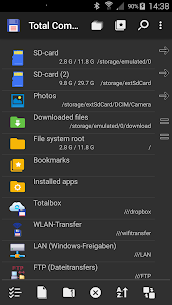
You can view a list of installed applications and manually back up apps using the built-in plugin functionality.
Network, Cloud, and Plugin Expansion
Total Commander expands through plugins that add connectivity features such as:
- FTP and SFTP client support
- WebDAV (web folders)
- LAN access
- Cloud plugins for Google Drive, Microsoft OneDrive, and Dropbox
Interface, Navigation, and Productivity Extras
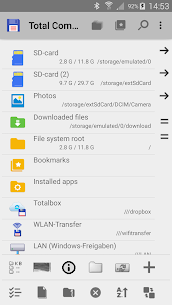
You can work with two panels side by side (or use a virtual two-panel mode), save locations with bookmarks, and jump back using directory history. The app can also save files shared from other apps via Android’s share function.
Media Playback and Streaming
Total Commander includes a media player that can stream directly from LAN, WebDAV, and supported cloud plugins, which helps when your files live on a NAS, server, or cloud storage.
Advanced Control and Optional Root Support
You can customize a button bar for quick directory changes, internal commands, launching apps, or sending shell commands. The app also offers optional root support for main functions on rooted devices.
Accessibility and Languages
Total Commander includes optimizations for visually impaired users, such as text labels for icons. It provides help in multiple languages and supports a wide set of interface languages, with public translation contributions managed through Crowdin.
If you want, tell me whether you mainly use Android storage, a NAS/LAN share, or cloud drives—then I can rewrite this as a shorter Play Store–style description tailored to that use case.
Images
Download links
How to install Total Commander Mod APK?
1. Tap the downloaded Total Commander Mod APK file.
2. Touch install.
3. Follow the steps on the screen.
Note: Important!
- Delete all previous Original/Mod before installing the latest mod.
- If necessary, log in with your email/social media. Modded App cannot be logged in with Gmail.
- Enjoy !!!