
Total Launcher

Mod Info:
Paid Features Unlocked
● Stable mod
● Debug info removed
● No active trackers or advertisements
● Requires android 8.0 and up
● CPUs arch: Universal
● Optimized and cleaned resources for fast loading.
Description
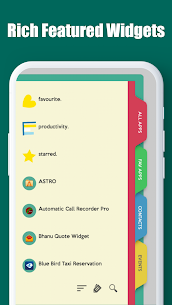
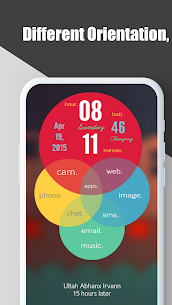
Total Launcher is one of the most customizable Android launchers, but it still stays fast, lightweight, and simple to use. It doesn’t force you into one layout or one style. Instead, it gives you the tools to create a home screen that matches how you use your phone.
Simple, Beautiful, or Smart—You Choose the Style
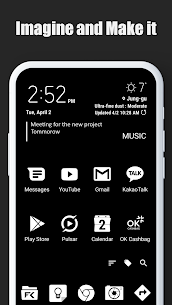
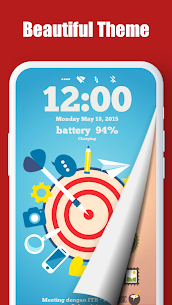
If you prefer a clean and minimal home screen, you can set up a straightforward layout with only the essentials. If you want something more visual, you can design a polished, attractive home with custom arrangements and styling. If you like advanced setups, you can build a “smart” home screen that organizes apps and actions the way you think and work.
Make Your Own Launcher Experience
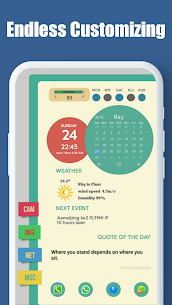
Total Launcher works well even if you haven’t found a launcher that feels right. You can create your own layout from scratch and keep adjusting it until it fits your routine. The launcher supports deep customization, so you can shape your home screen into something unique instead of settling for a standard design.
The Core Idea: Press and Hold to Edit Anything
Total Launcher is built around one simple rule: press and hold to edit. When you long-press an item, you can customize it—icons, widgets, shortcuts, and more. This approach makes powerful customization feel accessible, because you don’t need complicated menus to start changing things.
Images
Download links
How to install Total Launcher Mod APK?
1. Tap the downloaded Total Launcher Mod APK file.
2. Touch install.
3. Follow the steps on the screen.
Note: Important!
- Delete all previous Original/Mod before installing the latest mod.
- If necessary, log in with your email/social media. Modded App cannot be logged in with Gmail.
- Enjoy !!!
Related apps







Latest Apps
Popular apps


