Turbo Alarm
Francisco Javier Castaño Gómez
11.69 MB
10.0.32
Varies with device
500,000+

Mod Info:
- Pro Subscription / Paid features unlocked;
- Disabled / Removed unwanted Permissions + Receivers + Providers + Services;
- Optimized and zipaligned graphics and cleaned resources for fast load;
- Ads Permissions / Services / Providers removed from AndroidManifest;
- Ads links removed and invokes methods nullified;
- Ads layouts visibility disabled;
- Google Drive Cloud broken;
- Google Play Store install package check disabled;
- Debug code removed;
- Remove default .source tags name of the corresponding java files;
- Analytics / Crashlytics / Firebase disabled;
- No active trackers or advertisements;
- Languages: Full Multi Languages;
- CPUs: armeabi-v7a, arm64-v8a, x86, x86_x64;
- Screen DPIs: 160dpi, 240dpi, 320dpi, 480dpi, 640dpi;
- Original package signature changed;
Description
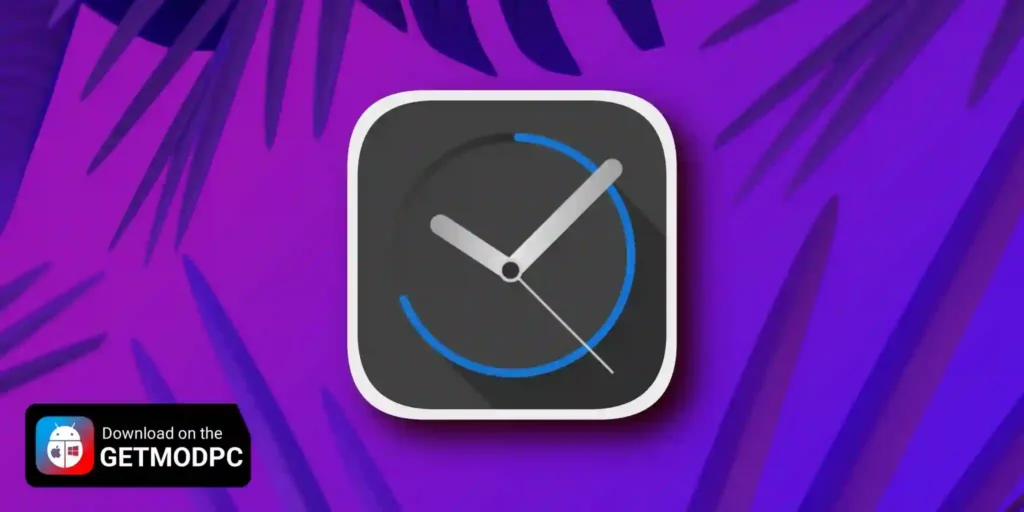
Turbo Alarm is a full-featured alarm clock app designed to help you wake up on time with less stress. It pairs a clean Material Design interface with practical tools like music alarms, smart snoozing, and advanced dismiss options. The app focuses on reliability and stays ad-free.
Bedside Tools: Night Mode, Widgets, Timers, and Stopwatch
Turbo Alarm includes a night clock mode that turns your phone into a minimalist bedside clock. It dims the screen and supports do-not-disturb for a calmer night setup. You also get home screen widgets that show the next alarm and the current time. Built-in stopwatch and timer tools keep everything in one place, so you don’t need separate apps.
Integrations and Cloud Sync
Turbo Alarm works with Google Assistant and can integrate with automation tools like Tasker and Macrodroid, plus Sleepbot. The app also offers cloud sync so you can back up alarms and manage them across multiple devices.
Music Alarms and Flexible Scheduling
Turbo Alarm lets you wake up to music instead of standard tones. You can use playlists, play songs from folders, or set random tracks so mornings feel less repetitive. You can also skip any day with a long press, and the app remembers your choice. If your schedule changes, you can quickly modify the next alarm by adding a few minutes.
Repeating Alarms, Extra-Loud Modes, and Safety Options
Turbo Alarm supports repeating alarms for habits like medication, reminders, or study sessions. It includes an anti-sleepyhead mode that uses an extra loud tone to make sure you wake up. A security alarm can ring again if you don’t leave the house on time, adding another layer of urgency when you need it.
Dismiss Challenges and Wear OS Support
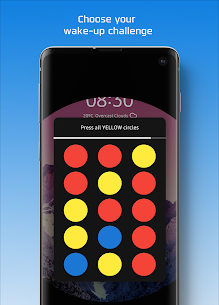
To prevent mindless snoozing, Turbo Alarm offers mini-games such as math or pattern challenges that you must complete to dismiss the alarm. It also supports Wear OS complications, so you can see your next alarm on your watch face and control alarms from your smartwatch.
Smart Wake-Up: Gentle, Customizable, and Informative
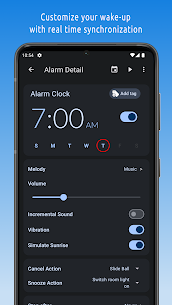
Turbo Alarm helps you wake up gradually with incremental volume and smart vibration patterns that build from soft to strong. You can control snooze intervals and limits, and you can choose creative dismiss actions such as shaking, sliding, drawing, tapping, or even triggering smart-home actions like turning on room lights. The app can also speak the time, weather, and other info as a talking alarm.
Visual Options: Sunrise Simulation and Backgrounds
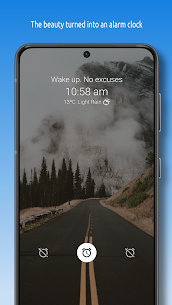
Turbo Alarm adds a sunrise simulation that brightens your screen with soft colors to mimic a gentle morning light. You can customize the look with your own background photo or use daily images from Bing or Unsplash (depending on your settings and plan).
Pro Features You Can Unlock
Turbo Alarm offers most features for free without ads. If you upgrade to Pro, you unlock:
- Unlimited timers
- Multi-device control
- Unsplash dynamic wallpapers
- Additional music and wake-up options
Images


Download links
How to install Turbo Alarm Mod APK?
1. Tap the downloaded Turbo Alarm Mod APK file.
2. Touch install.
3. Follow the steps on the screen.
Note: Important!
- Delete all previous Original/Mod before installing the latest mod.
- If necessary, log in with your email/social media. Modded App cannot be logged in with Gmail.
- Enjoy !!!