
Volume Control

Mod Info:
- Premium / Paid features unlocked;
- Disabled / Removed unwanted Permissions + Receivers + Providers + Services;
- Optimized and zipaligned graphics and cleaned resources for fast load;
- Ads Permissions / Services / Providers removed from AndroidManifest;
- Ads links removed and invokes methods nullified;
- Ads layouts visibility disabled;
- Google Play Store install package check disabled;
- Debug code removed;
- Remove default .source tags name of the corresponding java files;
- Analytics / Crashlytics / Firebase disabled;
- Facebook ads bundled SDK removed completely;
- No active trackers or advertisements;
- Languages: Full Multi Languages;
- CPUs: armeabi-v7a, arm64-v8a, x86, x86_64;
- Screen DPIs: 120dpi, 160dpi, 240dpi, 320dpi, 480dpi, 640dpi;
- Original package signature changed;
Description

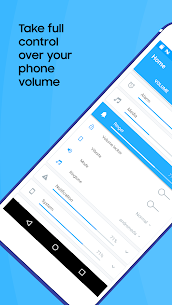
Volume Control puts you in charge of your phone’s audio instead of forcing you to constantly react to sudden volume changes. You can build custom volume profiles, switch between them instantly, and let the app apply the right settings automatically when your day changes.
How It Works: Create Profiles and Switch in One Tap
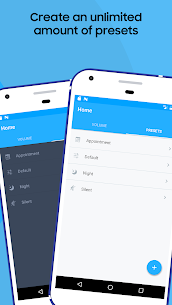
You start by adjusting existing presets or creating new ones. Each profile can include separate levels for Alarm, Media, Ringer, Notifications, Voice (in-call), Bluetooth, and overall system volume. After you save a profile, you apply it with a single touch whenever you need a quick change.
Automated Convenience: Headphones, Bluetooth, Schedules, and More
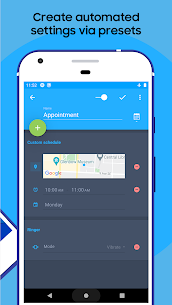
Volume Control detects when you plug in headphones or connect to Bluetooth and then switches to the profile you choose. You can also automate presets by time of day, your location, or even a calendar event. For example, you can schedule silent mode during meetings or boost media volume when you arrive at the gym, so your phone adapts without manual adjustments.
Extra Features: More Control Over Alerts and Tones
The app gives you additional options that improve everyday usability:
- You can link or separate ringer and notification volumes.
- You can change ringtones for alarms, calls, and notifications.
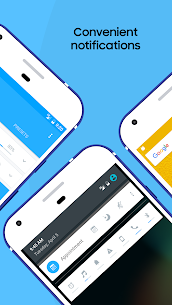
- You can use notification shortcuts for fast access to presets and controls.
- You can integrate with Tasker and Locale using the built-in preset plugin.
Interactive Home Screen Widgets
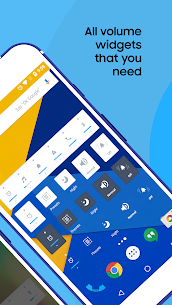
Volume Control includes a set of fully interactive widgets that let you manage sound without opening the app:
- Preset and Preset List widgets to apply audio setups instantly
- Volume Locker to change or lock volume levels
- Vibrate and Ringer toggles for quick mode switching
- A Dashboard widget with multiple volume controls in one place
To ensure widgets work properly, install the app on internal storage (not an SD card). Some Android versions may require a reboot before widgets appear.
Pocket Locker: Prevent Accidental Volume Changes
The Pocket Locker feature locks volume settings automatically when the screen turns off. This helps you avoid unwanted volume jumps caused by pocket presses or accidental button taps.
Multilingual Support
Volume Control supports many languages, including Arabic, Czech, Danish, German, Spanish, Finnish, French, Hindi, Hungarian, Italian, Hebrew, Japanese, Korean, Malaysian, Norwegian, Dutch, Polish, Portuguese, Russian, Slovak, Swedish, Thai, Turkish, Ukrainian, Vietnamese, Simplified Chinese, and Traditional Chinese.
Images
Download links
How to install Volume Control Mod APK?
1. Tap the downloaded Volume Control Mod APK file.
2. Touch install.
3. Follow the steps on the screen.
Note: Important!
- Delete all previous Original/Mod before installing the latest mod.
- If necessary, log in with your email/social media. Modded App cannot be logged in with Gmail.
- Enjoy !!!
Related apps





Latest Apps
Popular apps


