Wakey

Mod Info:
Paid Features Unlocked
● No ads
● Stable mod
● Debug info removed
● All premium features are working
● No active trackers or advertisements
● Requires android 9.0 and up
● CPUs arch: Universal
● Optimized and cleaned resources for fast loading.
Description
Wakey: Keep Screen On gives you reliable control over your Android screen so it doesn’t turn off at the worst time. Use it while you read long articles, follow maps during navigation, play games, work from your phone, or display photos and information without constant tapping. Wakey overrides your system sleep timer on demand, so you decide when your screen stays awake.
One-Tap Screen Control with the Brightness You Want
Wakey puts screen behavior in your hands. With a single tap, you can force the screen to stay on for as long as you need. You can also pick a brightness style that matches the situation—keep it bright for directions, keep it normal for everyday use, or darken it for comfortable night reading. If you want the phone to keep working without lighting up a room, Wakey can even keep the device “awake” while the display stays fully dark.
Free Features Included in Wakey
Wakey includes powerful screen tools at no cost, so you can get immediate value without upgrading:
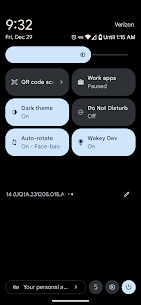
- Manual Control: Toggle “stay awake” instantly from the app, a Quick Settings tile, or a home screen widget.
- Custom Timers: Set a maximum “screen-on” duration so the display won’t stay awake longer than necessary.
- Brightness Modes: Choose Darken, Normal, or Brighten to match your task and environment.
- Idle Dimming: Keep the screen awake while allowing it to dim when you stop interacting, which helps reduce battery use.
- Smart Pocket Mode: Darken the screen completely while keeping the device active, prevent accidental touches, and conserve power.
- Optional Persistent Notification: Keep status and controls available at all times if you want quick access.
Wakey Premium: One-Time Purchase, No Subscription
Wakey Premium unlocks advanced automations and removes ads with a single one-time payment. You get features that keep your screen on automatically based on what you’re doing, so you don’t have to toggle settings every time.
Premium Automations That Keep Your Screen On Automatically
Wakey Premium adds several smart triggers:
- SmartWake: Keep the screen awake when you actively use the device or when it detects motion—great for reading, cooking with recipes, or hands-busy situations.
- AppWake: Keep the screen awake whenever selected apps appear in the foreground, such as navigation apps, games, music players, or accessibility-critical apps.
- ChargeWake: Keep the display on while charging—useful for kiosks, dashboards, and desk setups.
- BtWake: Keep the screen awake when you connect to chosen Bluetooth devices, such as a car system or wearable.
- Tasker/Locale Plugin: Let automation experts trigger Wakey actions from Tasker, using any supported condition (time, location, sensors, and more).
- Remove Ads: Use Wakey without interruptions.
Privacy Notes for AppWake (Accessibility Service)
When you enable the AppWake Accessibility Service, Wakey only checks which app is currently in the foreground so it can apply your chosen “stay awake” rules. It does not read screen contents, capture keystrokes, access your microphone, or use your camera. Wakey also does not collect or share personal AppWake usage data, which helps protect user trust and supports compliance with Google’s privacy requirements.
Who Wakey Helps Most
Wakey fits anyone who needs predictable screen behavior: readers who don’t want page timeouts, drivers who need a map always visible, presenters who can’t risk a sleeping screen, gamers who want uninterrupted play, and technicians or developers who keep reference material open while working.
Take Control of Your Screen
Download Wakey to keep your screen on exactly when you need it and how you want it. If you want automatic rules, deeper integrations, and an ad-free experience, upgrade to Premium and unlock the full automation toolkit.
Images


Download links
How to install Wakey Mod APK?
1. Tap the downloaded Wakey Mod APK file.
2. Touch install.
3. Follow the steps on the screen.
Note: Important!
- Delete all previous Original/Mod before installing the latest mod.
- If necessary, log in with your email/social media. Modded App cannot be logged in with Gmail.
- Enjoy !!!