
WeNote

Mod Info
- Premium Unlocked
Description
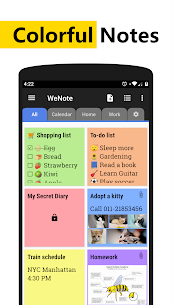
WeNote is a flexible note-taking app that helps you capture ideas fast and stay organized. You can create colorful notes, checklists, shopping lists, reminders, and calendar memos in one place. People use WeNote to plan work, manage daily tasks, and keep study notes because it keeps writing and organizing simple instead of cluttered.
Offline by Default, No Login Needed
WeNote runs smoothly offline and does not require an internet connection or sign-in to work. You can write and review notes anywhere, even when you have no signal.
Privacy and Security Controls
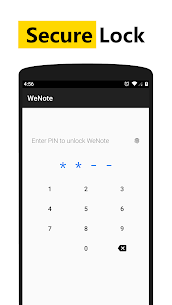
WeNote protects private information by letting you lock notes or the entire app. You can secure entries with a PIN, pattern, password, or fingerprint so only you can open sensitive content.
Create Notes Quickly (Like a Simple Word Processor)
WeNote gives you an easy editor with no strict character limits for typical note writing. After you save a note, you can pin it to the top, mark it as done, lock it, place it in the notification bar for fast access, share it, or delete it from the menu.
To‑Do Lists and Shopping Lists with Checklists
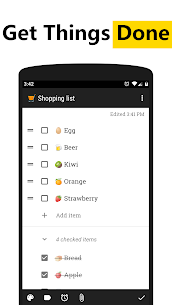
WeNote turns a note into a checklist when you choose to-do mode. You can add unlimited items, drag to reorder them, and tap to strike through completed tasks. The app can move finished items to the bottom so your active tasks stay visible.
Organize Notes with Labels and Color Tabs
WeNote helps you sort content using both labels and colors. You can display labels as tabs for quick swiping between categories, or open them from menus when you prefer a cleaner view.
Add Photos, Drawings, and Voice Memos
WeNote lets you attach images to notes, sketch or paint directly inside the app, and record voice memos hands-free. These tools make it useful for class notes, meeting ideas, recipes, and personal journaling.
Reminders, Calendar, and Holidays
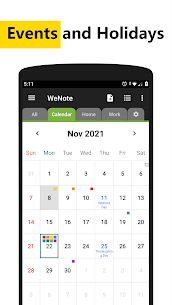
WeNote includes reminders that you can customize and repeat so you don’t miss important tasks. The app also provides a built-in calendar for memo planning and shows extra details such as lunar phases. You can view public holidays through a global holiday calendar that supports many countries and regions.
Sync, Backup, and Restore Options
WeNote helps you avoid lost notes by offering multiple storage options. You can sync to WeNote Cloud or Google Drive, and you can also back up and restore locally for extra control.
Home Screen Widgets for Faster Access
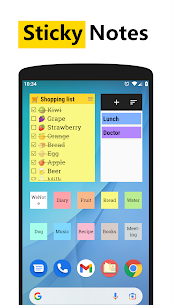
WeNote includes five widget styles—sticky notes, mini sticky notes, quick-add, calendar, and note list—so you can view or add content without opening the app fully.
Personalization, Sharing, and Export
WeNote lets you customize fonts, sorting, and viewing modes, and you can choose from multiple app themes. You can share notes through email, SMS, and messaging apps. The app also converts URLs and phone numbers into clickable links, supports undo/redo, and lets you print notes or export them as PDF. Finally, built-in search helps you find any note or checklist instantly.
Images
Download links
How to install WeNote Mod APK?
1. Tap the downloaded WeNote Mod APK file.
2. Touch install.
3. Follow the steps on the screen.
Note: Important!
- Delete all previous Original/Mod before installing the latest mod.
- If necessary, log in with your email/social media. Modded App cannot be logged in with Gmail.
- Enjoy !!!
Related apps





Latest Apps
Popular apps


