
Acode
How to install Acode Mod APK?
1. Tap the downloaded Acode Mod APK file.
2. Touch install.
3. Follow the steps on the screen.
Note: Important!
- Delete all previous Original/Mod before installing the latest mod.
- If necessary, log in with your email/social media. Modded App cannot be logged in with Gmail.
- Enjoy !!!
Mod Info
● Paid | Paid Features Unlocked
● Stable mod
● Debug info removed
● No active trackers or advertisements
● Requires android 7.0 and up
● CPUs arch: Universal
● Optimized and cleaned resources for fast loading.
Description
Acode is a powerful, lightweight code editor and web IDE for Android that lets developers build and run websites, edit files in over 100 programming languages, sync with GitHub, and enjoy a fully customizable, ad-free coding experience right from their mobile device.
A New Era of Mobile Coding Starts Here
Mobile development has come a long way, and Acode leads the charge. This powerful, lightweight code editor and web IDE for Android gives developers everything they need to write, test, and manage code directly from their smartphone or tablet. Whether you are a seasoned developer or just starting out, Acode transforms your Android device into a fully capable coding workstation — no laptop required.
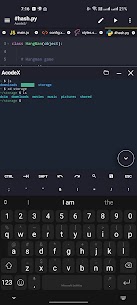
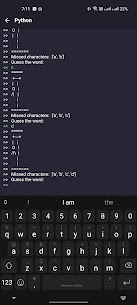
Acode does not just let you view code. It lets you build and run complete websites directly within your browser, debug problems using an integrated console, and edit a sweeping range of source files spanning languages like Python, CSS, Java, JavaScript, Dart, and many more. The result is a coding environment that keeps up with your ambitions, no matter where you are.
What’s New — Latest Updates That Elevate Your Experience
The Acode team continuously pushes updates to make your coding experience faster, smarter, and more flexible. The latest round of improvements brings meaningful changes that developers will notice immediately.
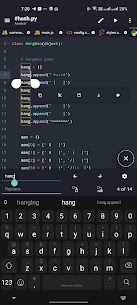
The Ace Editor now runs on version 1.22.0, delivering more efficient editing performance across the board. The team also introduced a beta Search in All Files feature, which allows you to search and replace text across every file within your open projects in one seamless operation — a massive time-saver for anyone working on large codebases.
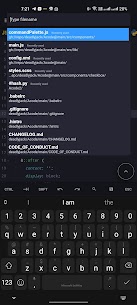
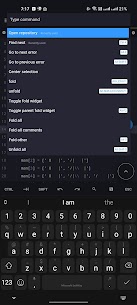
Customizable Quick Tools give you the power to personalize your toolbar and streamline your personal workflow. Find Files (Ctrl + P) now loads and caches files at startup, which means file listing appears significantly faster than before. On top of that, expanded Ctrl Key functionality brings familiar keyboard shortcuts to your fingertips, including Ctrl+S to save and Ctrl+Shift+P to open the command palette, so you can keep your hands on the keyboard and your focus on the code.
Why Developers Choose Acode Over Other Mobile Editors
The mobile code editor space has plenty of options, but Acode stands apart for several compelling reasons. First and foremost, it delivers a completely ad-free experience. You open the app and get straight to work — no banners, no interruptions, no distractions pulling your attention away from the task at hand.
Acode also supports GitHub integration, allowing you to sync your projects seamlessly without ever leaving the app. You can push commits, pull updates, and manage your repositories with ease. For developers who work with remote servers, FTP and SFTP support lets you connect, browse, and manage files on external servers directly through the app’s built-in file browser.
The in-app preview feature lets you instantly render and view your HTML and Markdown files without switching to a separate browser. Pair that with the interactive JavaScript console, and you have a genuine debugging environment sitting right in your pocket.
Key Features That Power Your Workflow
Acode packs an impressive feature set that covers every major need a developer encounters during a typical coding session.
It supports over 100 programming languages with extensive syntax highlighting, making it easy to read and navigate code regardless of the language you work in. You can choose from dozens of unique themes to personalize the visual environment to your taste, and the customizable interface lets you adapt the entire layout to match your personal coding style.
Multi-file support allows you to keep several files open and switch between them fluidly, enabling productive multitasking across complex projects. The editor handles files with more than 50,000 lines without breaking a sweat, so performance never becomes a bottleneck even on ambitious projects.
Keyboard shortcuts speed up repetitive actions so you spend less time navigating menus and more time writing code. The universal file editor lets you open and edit any file directly from your device storage. And if something ever goes wrong, the built-in file recovery feature protects your work and ensures you never lose progress due to an unexpected crash or interruption.
Acode is also fully open source, meaning its development stays transparent and community-driven. Developers around the world actively contribute to the project, report issues, and suggest improvements — making Acode better with every release.
Join the Acode Community and Start Coding Smarter Today
Thousands of developers already rely on Acode as their go-to mobile coding environment, and the community grows larger every day. Whether you want to build websites on the go, manage server files remotely, or simply have a reliable editor always within reach, Acode delivers the tools you need in a clean, fast, and highly customizable package.
Download Acode today and experience what truly powerful mobile coding feels like. Your next great project starts right here.
What's new
- acode cli in builtin terminal
- Welcome tab for new users
- Better default configs for terminal
- "Open in terminal" option for folders in file tree
- Devtools for plugin dev
- offload heavy changes checks on background thread instead of ui
- make auth more secure
- runtime tests cases
- improved sidebar apps
- and a bunch of fixes and small improvements, Check Changelogs for more details
Images
Download links
How to install Acode Mod APK?
1. Tap the downloaded Acode Mod APK file.
2. Touch install.
3. Follow the steps on the screen.
Note: Important!
- Delete all previous Original/Mod before installing the latest mod.
- If necessary, log in with your email/social media. Modded App cannot be logged in with Gmail.
- Enjoy !!!
Related apps





Most viewed apps
Most rated apps


