
Bluetooth Volume Manager
How to install Bluetooth Volume Manager Mod APK?
1. Tap the downloaded Bluetooth Volume Manager Mod APK file.
2. Touch install.
3. Follow the steps on the screen.
Note: Important!
- Delete all previous Original/Mod before installing the latest mod.
- If necessary, log in with your email/social media. Modded App cannot be logged in with Gmail.
- Enjoy !!!
Mod Info:
- Premium / Paid features unlocked – no key required;
- Disabled / Removed unwanted Permissions + Receivers + Providers + Services;
- Optimized and zipaligned graphics and cleaned resources for fast load;
- Google Play Store install package check disabled;
- Debug code removed;
- Remove default .source tags name of the corresponding java files;
- AOSP compatible mode;
- Languages: Full Multi Languages;
- CPUs: armeabi-v7a, arm64-v8a, x86, x86_64;
- Screen DPIs: 120dpi, 160dpi, 240dpi, 320dpi, 480dpi, 640dpi;
- Original package signature changed;
Description
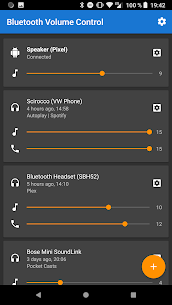
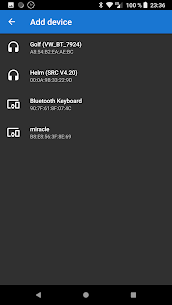
Bluetooth Volume Manager reacts when a Bluetooth device connects or disconnects and applies the volume behavior you set for that specific device. It helps Android “remember” different volume levels for different headphones, speakers, or car systems, so you don’t have to adjust audio every time you switch devices.
What the App Can Do on Connect/Disconnect
When you pair or unpair a Bluetooth device, the app can automatically run actions such as:
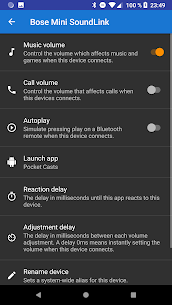
- Adjust music, call, ringtone, and notification volumes
- Send media controls like Play or Next
- Open a chosen app (for example, a music or podcast app when your car connects)
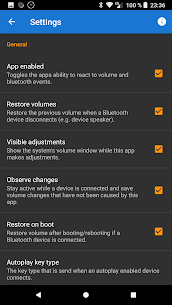
- Keep the screen awake while the device stays connected
- Prevent volume from being changed (useful if accidental button presses cause spikes)
- Restore your previous volume levels after the device disconnects
Important Limitation (No Artificial Boosting)
Bluetooth Volume Manager does not amplify volume beyond what your phone already allows. If your device cannot raise volume using the physical volume buttons, the app cannot push it higher either.
What's new
🐛 Bug fixes, 🚀 performance boosts, maybe even ✨ new features.
Changelog: https://bluemusic.darken.eu/changelog
FYI: It’s just me here — thanks for understanding if replies take a bit. ¯_(ツ)_/¯
Images
Download links
How to install Bluetooth Volume Manager Mod APK?
1. Tap the downloaded Bluetooth Volume Manager Mod APK file.
2. Touch install.
3. Follow the steps on the screen.
Note: Important!
- Delete all previous Original/Mod before installing the latest mod.
- If necessary, log in with your email/social media. Modded App cannot be logged in with Gmail.
- Enjoy !!!
Related apps







Most viewed apps
Most rated apps


