
BSPlayer Pro
How to install BSPlayer Pro Mod APK?
1. Tap the downloaded BSPlayer Pro Mod APK file.
2. Touch install.
3. Follow the steps on the screen.
Note: Important!
- Delete all previous Original/Mod before installing the latest mod.
- If necessary, log in with your email/social media. Modded App cannot be logged in with Gmail.
- Enjoy !!!
Description
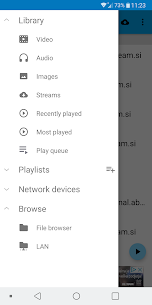
BSPlayer is a media player for Android phones and tablets that focuses on smooth playback, low battery usage, and convenience features like automatic subtitle search. It also supports buffered streaming over local networks, including playback from SMB shares, so you can watch videos stored on PCs, NAS devices, or shared folders without copying files to your device.
Smooth Playback with Hardware Acceleration
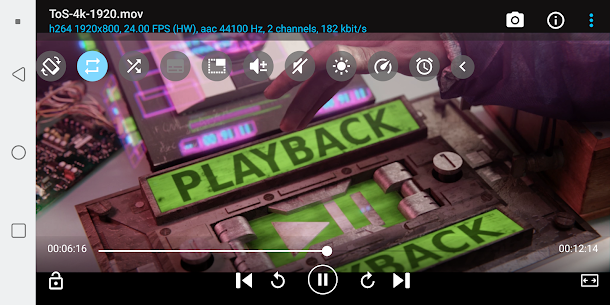
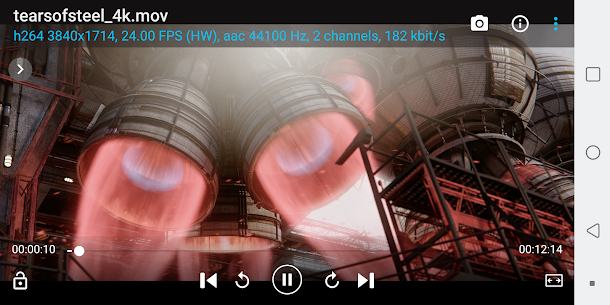
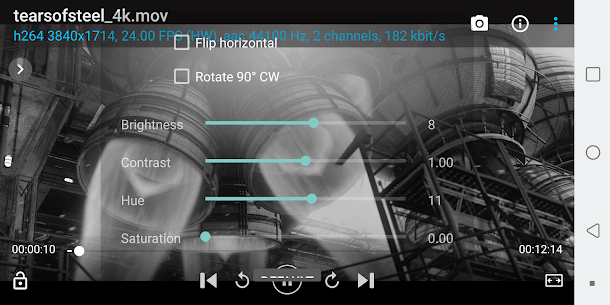
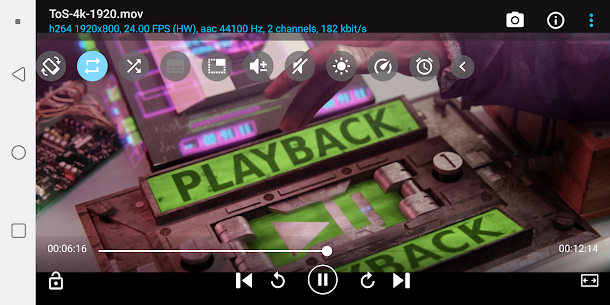
BSPlayer uses hardware-accelerated video decoding to improve performance. This approach can increase playback speed and reduce battery drain, and it supports multi-core decoding on compatible devices. You can also adjust aspect ratio and zoom to fit different video formats and screen sizes.
Audio Boost and Playback Controls
BSPlayer includes audio pre-amplification (“volume boost”) that you can set up to 500%. It also gives you practical tuning options like adjustable playback speed and customizable audio offset, which helps when audio and video don’t line up perfectly.
Pop-Up Window and Gesture Controls
You can play video or audio in a pop-up window, which lets you keep watching while using other apps. BSPlayer also supports customizable gestures for seeking and jumping, plus brightness and volume control. You can even configure gestures and keys to exit into pop-up playback.
Subtitles and Multi-Track Support
BSPlayer supports multiple audio streams and subtitle tracks. It plays common external and embedded subtitle formats such as SSA/ASS, SRT, SUB, and TXT. It can also search for subtitles automatically (you need mobile data or Wi‑Fi enabled for subtitle search to work).
Play from SMB, NAS, USB Drives, and Even RAR Files
BSPlayer can stream media directly over Wi‑Fi from shared drives and folders, including SMB shares, PC shared folders, and NAS servers like Synology. This allows direct playback without converting files or copying them to local storage. It can also play files straight from uncompressed RAR archives and supports USB OTG for external storage access.
Playlists, External Controls, and Child Lock
BSPlayer supports playlists and multiple playback modes. It works with audio headsets and external Bluetooth keyboards for easier control. It also includes a lock-screen/child-lock feature to prevent accidental touches from changing the video during playback.
Chromecast Support (Full Version Only)
Chromecast support is available only in the full version, and it works with most MP4 files. The app also advertises an ad-free experience.
What's new
- better support for external/OTG storage
- improved m3u parsing
- stability improvements and bug fixes
Images
Download links
How to install BSPlayer Pro Mod APK?
1. Tap the downloaded BSPlayer Pro Mod APK file.
2. Touch install.
3. Follow the steps on the screen.
Note: Important!
- Delete all previous Original/Mod before installing the latest mod.
- If necessary, log in with your email/social media. Modded App cannot be logged in with Gmail.
- Enjoy !!!
Related apps





Most viewed apps
Most rated apps


