
Business Calendar 2 Pro
How to install Business Calendar 2 Pro Mod APK?
1. Tap the downloaded Business Calendar 2 Pro Mod APK file.
2. Touch install.
3. Follow the steps on the screen.
Note: Important!
- Delete all previous Original/Mod before installing the latest mod.
- If necessary, log in with your email/social media. Modded App cannot be logged in with Gmail.
- Enjoy !!!
Package Info:
- Languages: Full Multi Languages;
- CPUs: universal architecture;
- Screen DPIs: 120dpi, 160dpi, 240dpi, 320dpi, 480dpi, 640dpi;
- Untouched [Paid] apk with Original Hash Signature, no [Mod] or changes was applied;
- Certificate MD5 digest: b20ed8f5e275ec315022d59c10b8be72
Description

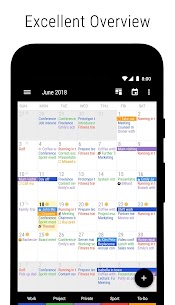
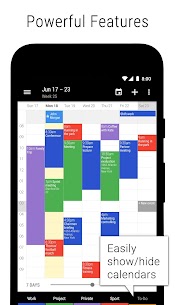
Business Calendar 2 Pro is the paid version of Business Calendar 2, built for people who need a clear overview of appointments and stronger tools for scheduling. It keeps planning fast and practical: you can create events quickly, organize tasks alongside your calendar, and adjust your agenda in seconds with powerful editing features.
Create Events Faster with Pro Shortcuts
Business Calendar 2 Pro speeds up event entry by letting you create new events and tasks from templates. It also suggests and auto-completes locations using TomTom-based recommendations, which helps you type less and keep location details consistent.
Edit Your Calendar Quickly (Drag, Copy, Multi-Select)
You can reorganize your week without tedious menu tapping. The app lets you move and copy events via drag-and-drop in the weekly planner. You can also select multiple events and then delete, move, or copy them together. If you schedule repeating patterns like work shifts, you can duplicate the same event across several days at once.
Customize the Look: Themes, Widgets, and Fonts
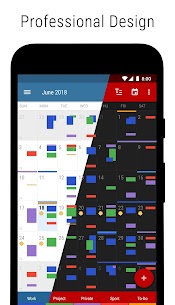
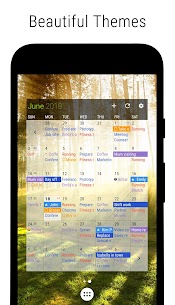
Business Calendar 2 Pro gives you extensive design control. You can choose from 22 app themes (including dark options), apply 14 widget themes, and adjust font sizes to match your readability preferences and home screen style.
Reliable Reminders and Alarm Options
The Pro version helps you avoid missed appointments by offering repeating alarms. You can also assign different ringtones to different calendars, so you immediately recognize whether a reminder relates to work, personal plans, or another schedule.
Weather Built Into Your Views
You can check an integrated weather report directly inside the month, day, and agenda views. This makes it easier to plan travel time, outdoor activities, and busy days without switching apps.
Pro Productivity Tools for Workflows and Sharing
Business Calendar 2 Pro adds advanced features that support real planning work: you can attach files and photos to events, privately link contacts, and manage tasks with repeated tasks, subtasks, and priorities. You can print schedules to PDF and import/export calendar data using .ics/.ical formats for easier sharing and migration.
Premium Home Screen Experience (Day Pro Widget)
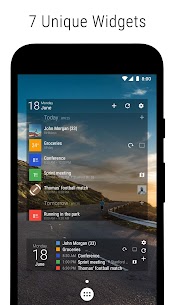
The Pro version includes the “Day Pro” widget, designed to show the most important information in one consolidated view, so you can manage your day directly from your home screen.
No Ads
Business Calendar 2 Pro stays completely ad-free.
What's new
- drag and drop tasks to reorder them, move them between lists and change parent/subtask relationships
- use advanced grouping and sorting options
- sync task positions with Google Tasks
- some minor improvements
- bug fixes
Images
Download links
How to install Business Calendar 2 Pro Mod APK?
1. Tap the downloaded Business Calendar 2 Pro Mod APK file.
2. Touch install.
3. Follow the steps on the screen.
Note: Important!
- Delete all previous Original/Mod before installing the latest mod.
- If necessary, log in with your email/social media. Modded App cannot be logged in with Gmail.
- Enjoy !!!
Related apps





Most viewed apps
Most rated apps


