
IPTV Pro
How to install IPTV Pro Mod APK?
1. Tap the downloaded IPTV Pro Mod APK file.
2. Touch install.
3. Follow the steps on the screen.
Note: Important!
- Delete all previous Original/Mod before installing the latest mod.
- If necessary, log in with your email/social media. Modded App cannot be logged in with Gmail.
- Enjoy !!!
Mod Info
● Paid | Paid Features Unlocked
● Stable mod
● Debug info removed
● Multiple languages available
● No active trackers or advertisements
● Requires android 5.0 and up
● CPUs arch: armeabi-v7a, arm64-v8a
● Optimized and cleaned resources for fast loading.
Description
IPTV Pro is a powerful IPTV streaming app that lets users watch live TV from custom playlists with advanced features like EPG support, parental controls, and ad-free viewing.
Introduction to IPTV Pro
IPTV Pro allows you to stream television content directly from your internet service provider or any online source that offers IPTV playlists. Instead of relying on traditional cable or satellite services, this app gives you full control over what you watch by letting you load your own playlist of channels. It works efficiently with various formats and delivers a flexible viewing experience across different devices.
Core Features of IPTV Pro
IPTV Pro supports both M3U and XSPF playlist formats, making it compatible with most IPTV services available online. The app also keeps a history of your playlists, allowing you to quickly access previously used channel lists without reloading them manually.
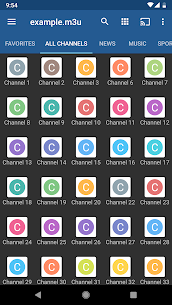
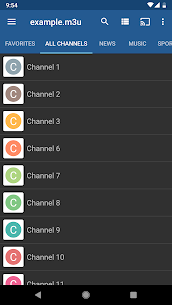
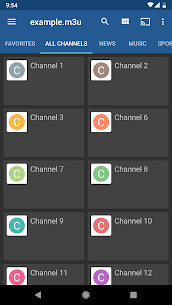
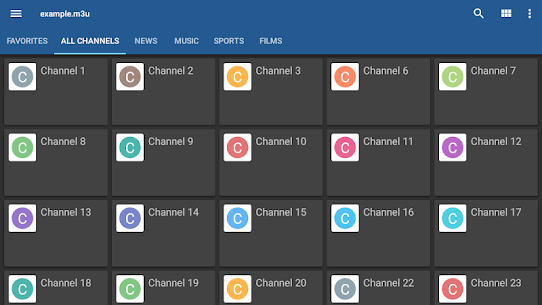
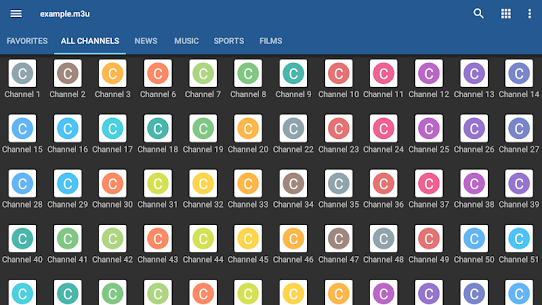
You can watch multicast streams using a UDP proxy, which improves streaming stability when configured correctly within your local network. The app offers multiple viewing modes, including grid, list, and tile layouts, so you can browse channels in a way that suits your preference.
Another key feature is the integration of EPG (Electronic Program Guide) in XMLTV and JTV formats, which helps you track current and upcoming shows easily. IPTV Pro also supports both internal and external video players, giving you flexibility in playback performance and customization. Additionally, it includes parental control options, enabling you to restrict access to specific content when needed.
Premium Advantages Over Free Version
Compared to the free version, IPTV Pro delivers a more refined and uninterrupted experience. It removes all advertisements, ensuring smoother navigation and viewing. The app can automatically launch when your device boots, which is especially useful for set-top boxes used as dedicated media centers.
It also includes an auto-play feature that resumes the last channel you watched, saving time and enhancing convenience. Furthermore, IPTV Pro expands playlist history capacity, allowing you to manage more channel sources without losing track of them.
Important Usage Information
IPTV Pro does not provide any built-in TV channels. You must supply your own playlist containing channel links in order to use the app. This ensures that users remain responsible for the content they access and stream through the platform.
Recommended Setup for Multicast Streaming
To achieve the best performance when streaming multicast content, you should configure a UDP proxy. On Windows systems, you can install a UDP-to-HTTP proxy or enable the feature through compatible IPTV player software. Linux users can install tools like udpxy to handle multicast traffic efficiently.
For optimal results, many users prefer installing udpxy directly on their WLAN router, especially when using firmware such as DD-WRT or OpenWrt. Some modern routers already include built-in support for this feature, making the setup even easier. Proper configuration ensures smoother playback, reduced buffering, and a more stable IPTV streaming experience overall.
What's new
Bug fixes
Images
Download links
How to install IPTV Pro Mod APK?
1. Tap the downloaded IPTV Pro Mod APK file.
2. Touch install.
3. Follow the steps on the screen.
Note: Important!
- Delete all previous Original/Mod before installing the latest mod.
- If necessary, log in with your email/social media. Modded App cannot be logged in with Gmail.
- Enjoy !!!
Related apps





Latest Apps
Popular apps


