
KMPlayer Plus
How to install KMPlayer Plus Mod APK?
1. Tap the downloaded KMPlayer Plus Mod APK file.
2. Touch install.
3. Follow the steps on the screen.
Note: Important!
- Delete all previous Original/Mod before installing the latest mod.
- If necessary, log in with your email/social media. Modded App cannot be logged in with Gmail.
- Enjoy !!!
Mod Info
● Paid Features Unlocked
● Stable mod
● Divx Codec
● Debug info removed
● Multiple languages available
● No active trackers or advertisements
● Requires android 7.0 and up
● CPUs arch: Universal
● Optimized and cleaned resources for fast loading.
Description
KMPlayer Plus (Divx Codec) is the premium KMPlayer edition that adds official DivX codec support and focuses on high-quality video playback with strong subtitle compatibility. It plays local files, supports many subtitle formats with styling, and includes playback tools that help you customize both sound and picture.
Official DivX Codec Support (What It Plays)
KMPlayer Plus officially supports DivX-related codecs. If a file does not play, you should check which codec the video or audio track uses.
Supported DivX Codecs
AVI: DXMF, DX50, DIVX, DIV4, DIV3, MP4V
MKV: DX50, DIV3, DIVX, DIV4, MP4V
Not Supported Audio Codecs
KMPlayer Plus does not support these codec types: DTS, EAC3, TrueHD
Common related FourCC identifiers include: eac3, mlp, trhd, dts, dtsb, dtsc, dtse, dtsh, dtsl, ms
Subtitle Support (Wide Format Compatibility)
KMPlayer Plus handles many subtitle standards used in downloaded videos and broadcast sources. It supports:
- DVD, DVB, SSA/ASS subtitle tracks
- SubStation Alpha (.ssa/.ass) with full styling
- SAMI (.smi) with ruby tag support
- SubRip (.srt)
- MicroDVD (.sub/.txt)
- VobSub (.sub/.idx)
- SubViewer 2.0 (.sub)
- MPL2 (.mpl/.txt)
- TMPlayer (.txt)
- Teletext
- PJS (.pjs)
- WebVTT (.vtt)
Core Playback Features
KMPlayer Plus includes practical controls that make watching and listening easier:
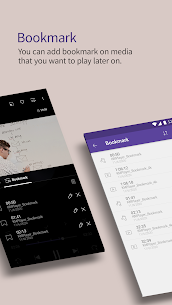
- Bookmarks: save a point in a video and return instantly
- HD playback: supports HD, Full HD, UHD, and up to 4K/8K (device dependent)
- Color controls: adjust brightness, contrast, hue, saturation, and gamma
- Zoom and pan: zoom into the video and move the frame
- Section repeat: loop a selected part of a video
- Video invert/flip: mirror left-right or flip upside down
- Quick buttons: change key player options with one tap
- Pop-up play: watch in a floating window while using other apps
- Equalizer: tune audio output for music or video
- Speed control: adjust playback from 0.25× to 4×
- Subtitle settings: change subtitle color, size, and position
- Timer: set a sleep/stop timer for video or music
Library, Streaming, and File Access
KMPlayer Plus also helps you manage and access media from different places:
- Wi‑Fi file sharing: transfer files between PC and phone over Wi‑Fi
- Search: find the video or music you want quickly
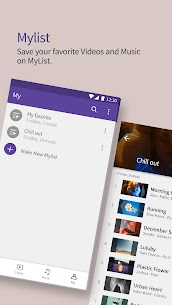
- My List (Playlists): build playlists for audio and video
- Play URL: stream video by entering a web URL
- External storage: load content from SD card or USB storage
- Network playback: connect via FTP, UPnP, SMB, WebDAV
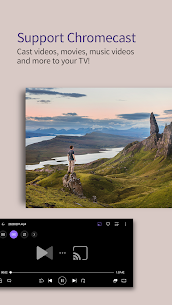
- Cloud playback: play from Google Drive, Dropbox, OneDrive, Yandex.Disk
Who KMPlayer Plus Is For
KMPlayer Plus fits users who want reliable local playback with DivX support, strong subtitle handling, and advanced controls like pop-up viewing, speed adjustment, and detailed video/audio tuning.
What's new
Thanks to your feedback, we’re getting even better 💜
- UI Fixed
- MP3 extraction is now free to use!
- Other: Bug fixes
Thank you.
Images


Download links
How to install KMPlayer Plus Mod APK?
1. Tap the downloaded KMPlayer Plus Mod APK file.
2. Touch install.
3. Follow the steps on the screen.
Note: Important!
- Delete all previous Original/Mod before installing the latest mod.
- If necessary, log in with your email/social media. Modded App cannot be logged in with Gmail.
- Enjoy !!!
Related apps





Latest Apps
Popular apps


