
MediBang Paint
How to install MediBang Paint Mod APK?
1. Tap the downloaded MediBang Paint Mod APK file.
2. Touch install.
3. Follow the steps on the screen.
Note: Important!
- Delete all previous Original/Mod before installing the latest mod.
- If necessary, log in with your email/social media. Modded App cannot be logged in with Gmail.
- Enjoy !!!
Description
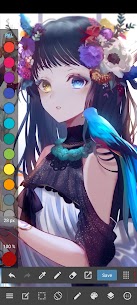
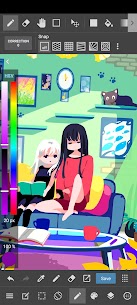
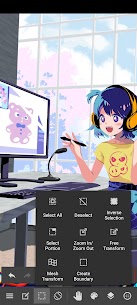
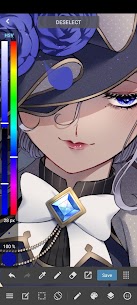
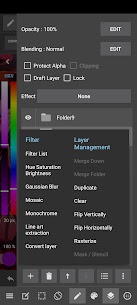
MediBang Paint gives you a lightweight but capable art workspace for sketching, inking, painting, and coloring with pencil and pen-style tools. You can create quick concept sketches, full illustrations, or finished comic pages directly on your phone or tablet. The app suits beginners who want an easy start and experienced artists who need efficient tools for daily production.
Brush Library: From Pencil to Watercolor
MediBang Paint includes 180+ built-in brushes, covering common drawing needs such as pencil, pen, paint, airbrush, and watercolor-like strokes. You can switch tools quickly and keep your workflow smooth while you sketch rough ideas or render detailed artwork. If you subscribe, you unlock 700+ extra brushes and can build custom brush sets that match your personal style and speed up repeated tasks.
Professional-Friendly Formats for Publishing
When you work on projects meant for print or publishing, MediBang Paint supports PSD and CMYK formats. This compatibility helps you move between different software pipelines and prepare files for professional output, which makes the app useful for art books, posters, and comic production where color handling matters.
Comics and Manga Tools Built In
MediBang Paint supports comic creation from start to finish inside the app. You can design pages using comic panel tools, add screen tones, and place speech bubbles to build readable layouts. The app also provides 60+ fonts, so you can letter dialogue and titles without leaving your canvas. You can begin with a loose pencil sketch, ink your lines, apply tones, and finalize a full page in one workflow.
Cloud Sync and Real Collaboration
You can move your work across devices using cloud sync, which helps when you start a sketch on mobile and continue later on another device. MediBang Paint also lets you collaborate on the same canvas, so friends or teammates can contribute to a shared project, review progress, or help finish group illustrations.
Share Your Process with Timelapse Recording
MediBang Paint records your work with timelapse features, so you can show how your piece developed from blank canvas to final render. You can share these recordings on social platforms to document your process, build an audience, or create educational content for other artists.
Learning and Resources via MediBang Library
You can improve faster by using the app’s learning support. MediBang Paint gives you access to tutorials, templates, and creative resources through the MediBang Library, which helps you practice techniques and start projects with ready-to-use materials.
Who Should Use MediBang Paint
MediBang Paint fits artists who want a strong mobile alternative to larger art suites. You can use it for daily sketching, polished painting, illustration work, and comic or manga production. If you want a responsive drawing experience with a wide brush selection, publishing-friendly formats, and tools built for storytelling, MediBang Paint gives you a practical setup to start creating immediately.
What's new
Fixed a bug that caused an error during DropBox integration.
Images
Download links
How to install MediBang Paint Mod APK?
1. Tap the downloaded MediBang Paint Mod APK file.
2. Touch install.
3. Follow the steps on the screen.
Note: Important!
- Delete all previous Original/Mod before installing the latest mod.
- If necessary, log in with your email/social media. Modded App cannot be logged in with Gmail.
- Enjoy !!!
Related apps




Video
Latest Apps
Popular apps


