
Mirror Lab
How to install Mirror Lab Mod APK?
1. Tap the downloaded Mirror Lab Mod APK file.
2. Touch install.
3. Follow the steps on the screen.
Note: Important!
- Delete all previous Original/Mod before installing the latest mod.
- If necessary, log in with your email/social media. Modded App cannot be logged in with Gmail.
- Enjoy !!!
Description
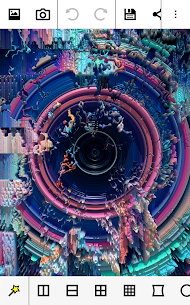
Mirror Lab focuses on fun, fast photo editing that still gives you serious creative power. You can enhance everyday pictures, create mirror-style reflections, build kaleidoscope and fractal compositions, and warp faces or landscapes with playful distortions. The app keeps the workflow approachable while still letting you push your edits into bold, surreal results.
New Animation Module: Turn Effects into Videos
Mirror Lab now includes a strong animation feature that lets you produce smooth videos from your edits. You set keyframes and let the app interpolate effect parameters between them, which creates fluid transitions and motion. To use this, you need to enable video support in the app settings before exporting animated results.
Effects Library: 50+ Filters with Many Variations
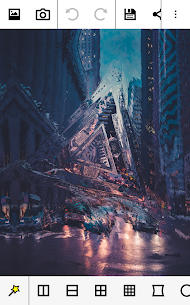
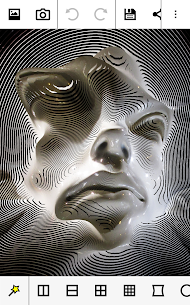
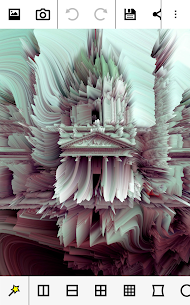
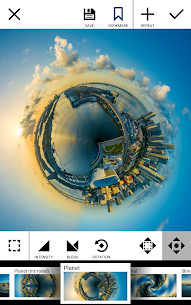
Mirror Lab offers more than 50 filters, and each one includes multiple adjustable options. You can work with classic symmetry tools (horizontal and vertical reflections), or switch to ripples, whirls, stretching, and other distortion effects. The app also includes kaleidoscopic and fractal looks, 3D-style effects, tiny-planet transformations, and graphic treatments like triangulation, pixel sorting, and halftone patterns. If you like glitch aesthetics, you can apply filters such as stripes and broken-glass styles. You can also fine-tune basic image qualities like brightness, contrast, saturation, and vignetting. When you want quick inspiration, you can swipe through 40+ presets to preview different looks instantly.
Precise Controls: Adjust Parameters for Unique Results
Mirror Lab gives you direct control over effect parameters so you can create many outcomes from the same filter. You can often place effects by dragging to position them and use two-finger dragging to resize them. Common controls include effect intensity, dampening (so the effect fades away from its center), rotation angle, and aspect ratio adjustments.
Workflow and Usability: Stack Effects and Undo Anytime
Mirror Lab encourages experimentation by letting you combine and layer filters for endless variations. The plus button reapplies an effect immediately, which makes stacking simple—especially for effects that look better in multiple passes. A strong undo system helps you step back at any time, so you can explore freely without losing progress. The interface also hides more tools than you may expect: the top and bottom toolbars scroll, and many effects appear further to the right on the bottom bar.
What's new
New MAX license: unlocks saving up to 22MP and other features.
Added aspect ratio parameter to Hyperbolic Squares and Hyperbolic Circles
Images
Download links
How to install Mirror Lab Mod APK?
1. Tap the downloaded Mirror Lab Mod APK file.
2. Touch install.
3. Follow the steps on the screen.
Note: Important!
- Delete all previous Original/Mod before installing the latest mod.
- If necessary, log in with your email/social media. Modded App cannot be logged in with Gmail.
- Enjoy !!!
Related apps





Developer's apps
Most viewed apps
Most rated apps


