
MiXplorer Silver
How to install MiXplorer Silver Mod APK?
1. Tap the downloaded MiXplorer Silver Mod APK file.
2. Touch install.
3. Follow the steps on the screen.
Note: Important!
- Delete all previous Original/Mod before installing the latest mod.
- If necessary, log in with your email/social media. Modded App cannot be logged in with Gmail.
- Enjoy !!!
Mod Info:
- No root or Lucky Patcher or Google Play Modded required;
- Disabled / Removed unwanted Permissions + Services;
- Debug code removed;
- Remove default .source tags name of the corresponding java files;
- Languages: Full Multi Languages;
- CPUs: armeabi-v7a, arm64-v8a, x86, x86_x64;
- Screen DPIs: 160dpi, 240dpi, 320dpi, 480dpi, 640dpi;
- Original package signature changed;
Description
MiX Silver is the paid package that bundles MiXplorer with several add-ons (Archiver, Image, Tagger, and PDF). You buy MiX Silver mainly to support ongoing MiXplorer development while getting the full toolset in one install.
FAQ: https://goo.gl/K9nf2y • Twitter: https://twitter.com/mixplorer • Skins: https://mixplorer.com/skins/
Themes, Skins, and Interface Customization
MiX Silver lets you fully theme the file manager. You can pick your own colors, edit skins in the built-in skin editor, and import additional theme/icon packs. You can also enable, disable, and reorder menu items and action buttons so the UI matches your workflow instead of forcing a fixed layout.
File Browsing: Tabs, Dual Panel, and Drag & Drop
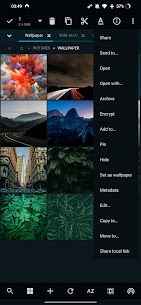
MiX Silver supports unlimited tabbed browsing and offers a dual-panel layout in landscape mode. You can drag and drop files between panels, switch view modes per folder, and customize sorting rules for each directory.
Multitasking with Tasks and Power Tools
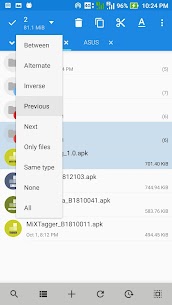
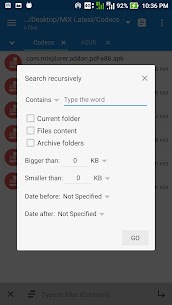
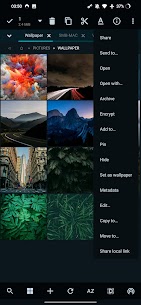
You can create background Tasks for operations like copy and move, which helps when you manage large file transfers. The app also includes advanced search, a bookmarks drawer with common file types already grouped, and built-in viewers such as an HTML viewer and font viewer. You can export and import preferences, bookmarks, and custom skins to move your setup to another device.
Archiving and Compression (Packed and Unpacked Formats)
MiX Silver includes strong archive support. It can pack/unpack formats such as 7z, Zip/Zip64 (including split/encrypted), TAR, TAR.GZ, TAR.BZ2, GZIP, BZIP2, XZ, WIM, LZ4/LZ5, Zstandard and more. It also supports extracting many additional formats (including ISO, DMG, NTFS/EXT images, RAR/RAR5, RPM, SquashFS, VHD/VMDK). You can even modify zip files directly.
Cloud Storage in One App
MiX Silver connects to many cloud providers from a single interface, including Mega.nz, Dropbox, Box, OneDrive (and Business), pCloud, Yandex, Mediafire, SugarSync and others. It also works with WebDAV-compatible clouds (for example OwnCloud/Nextcloud-style servers), which helps you manage remote storage like local folders.
Security, Root, and Encryption Options
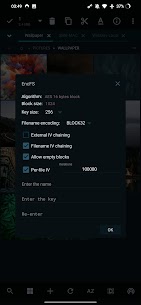
MiX Silver supports root access for advanced file operations on rooted devices. It also supports EncFS volumes across storages and can encrypt/decrypt files using the Aescrypt format, which helps you protect sensitive content.
Network Servers and Clients (SMB, FTP, SFTP, WebDAV, DLNA)
MiX Silver can act as a server for protocols such as FTP/FTPS/HTTP(S)/WebDAV/DLNA. It also includes client support for SMB (Samba SMB1/SMB2/SMB3), FTP(S), SFTP, and WebDAV, making it useful for NAS devices, shared PCs, and home servers.
Built-In Editors, Media Tools, and Add-ons
MiX Silver includes a text/code editor, an image viewer (with support for formats like GIF, SVG, TGA, ICO), and media playback features with optional extra codecs. It also offers an APK signer supporting v1/v2/v3 signing schemes, plus additional decoders for formats like RAW and TIFF.
Best Way to Learn: Explore and Customize
MiX Silver packs a lot of capability, but it stays flexible: you can start with basic file browsing, then gradually enable power features like dual-pane management, cloud connections, encryption, and network tools as you need them.
What's new
v6.70.3:
• Several minor issues and made some small improvements.
v6.70.1:
• Cast media to Chromecast & DLNA compatible devices.
• XMP/EXIF tag editor.
• SMB server now supports SMBv2 with dialects up to 3.1.1.
Tips:
• With GDrive you can only manage files created/uploaded with this app.
• Tap on ADD in bottom toolbar + Storage + Document provider + Find & select your USB or other drives.
• Swipe the bookmark item to the right to delete/edit it.
• The default user for the servers is 'Admin'.
Images
Download links
How to install MiXplorer Silver Mod APK?
1. Tap the downloaded MiXplorer Silver Mod APK file.
2. Touch install.
3. Follow the steps on the screen.
Note: Important!
- Delete all previous Original/Mod before installing the latest mod.
- If necessary, log in with your email/social media. Modded App cannot be logged in with Gmail.
- Enjoy !!!
Related apps





Most viewed apps
Most rated apps


