
Musicolet Music Player
How to install Musicolet Music Player Mod APK?
1. Tap the downloaded Musicolet Music Player Mod APK file.
2. Touch install.
3. Follow the steps on the screen.
Note: Important!
- Delete all previous Original/Mod before installing the latest mod.
- If necessary, log in with your email/social media. Modded App cannot be logged in with Gmail.
- Enjoy !!!
Description
Musicolet is a lightweight, offline music player designed for people who keep music files on their device. It focuses on fast navigation, flexible queues, and deep library control, so you can manage albums, folders, playlists, and metadata without relying on streaming or internet features.
Supported Audio Formats
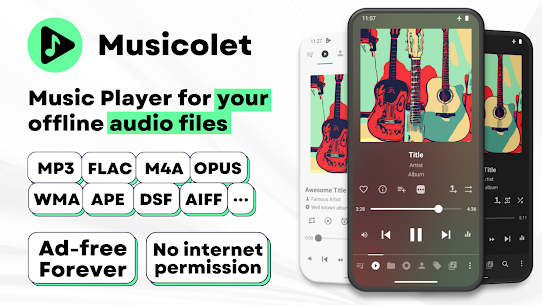
Musicolet plays a wide range of file types, including MP3, M4A, WMA, FLAC, OPUS, AAC, ALAC, APE, DSF, and many other formats. This broad support helps you keep mixed collections in one player instead of converting files.
Multiple Queues That Remember Where You Left Off
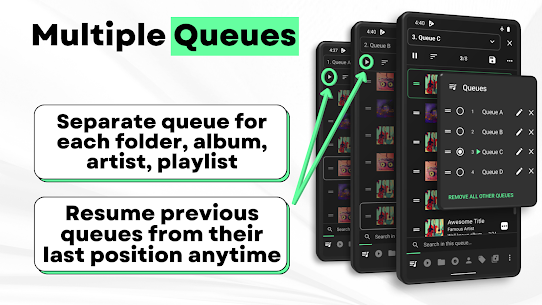
Musicolet creates a separate queue for each folder, album, artist, and playlist. You can switch between queues and resume each one from its last position anytime, which makes it easy to juggle different listening moods without losing your place.
Efficient Interface and One-Tap Navigation
Musicolet places key sections—such as the main player, queues, folders, albums, artists, and playlists—on a single row for quick access. You can move around the app with fewer taps and reach your library faster.
File and Library Management Tools
Musicolet lets you handle common organization tasks directly inside the app. You can:
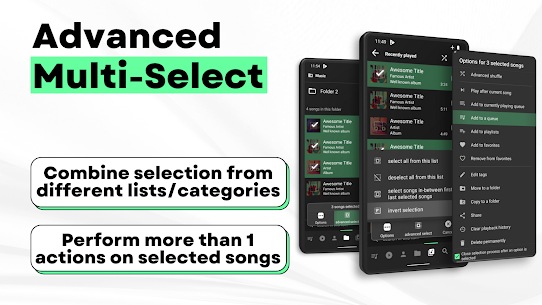
- Move or copy songs
- Rename folders without leaving the player
- Add or remove a track from multiple playlists, even from notifications, widgets, or the lock screen
Tag Editor and Album Art (Batch Editing Included)
Musicolet includes a Tag Editor+ that lets you edit tags and album art for multiple songs at once. You can clean up artist names, album titles, track numbers, and cover images to keep your library consistent and searchable.
Lyrics: Embedded, LRC, and Synchronized Options
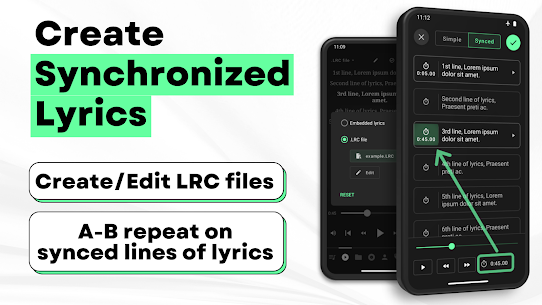
Musicolet supports embedded lyrics stored inside audio files (ID3 tags) and also supports .LRC files for synced lyrics. You can even create synchronized lyrics yourself.
Important note: Musicolet does not fetch lyrics automatically from the internet. If your files don’t include lyrics, you must paste or write them manually in the tag editor. For LRC, you must find the file yourself, place it in the same folder, and rename it to match the audio filename.
Playback and Audio Enhancements
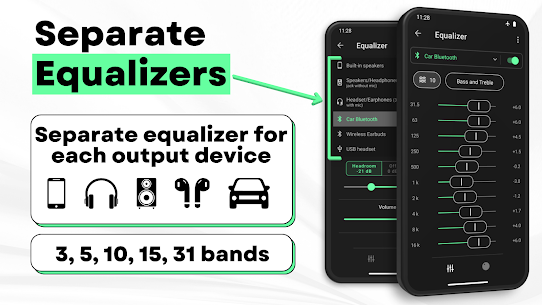
Musicolet supports gapless playback for seamless transitions between tracks. It also includes a powerful equalizer with separate presets for different outputs such as speakers, headphones, and Bluetooth devices, so you can tailor sound for each listening situation.
Headset Controls and Smart Listening Features
Musicolet supports detailed earphone controls:
- Single press: play/pause
- Double press: next track
- Triple press: previous track
- Four or more presses: fast-forward behavior (configurable style)
You can also use sleep timers that either stop playback after a set time or after a specific number of songs.
Widgets, Lock Screen, and Shortcuts
Musicolet includes home screen widgets and a lock screen interface with playback controls, queue access, and lyrics support. You can also add shortcuts for any album, artist, folder, or playlist directly to your home screen for instant launch.
Android Auto Support
Musicolet works with Android Auto, so you can control playback and browse playlists, queues, folders, and your full library from a compatible car display.
Notifications, Themes, and Appearance Controls
You can customize notification appearance and enable extra buttons like fast-forward and rewind. Musicolet also provides light and dark themes to match your preference.
Backup and Restore Across Devices
Musicolet supports automatic and manual backups. You can restore settings, playlists, and play counts from a backup file anytime—even on a different device.
No Ads, Ever
Musicolet stays ad-free for all users, so you can listen without interruptions or tracking-based banners.
What's new
v 6.13:
⭐ Export most played songs/artists data to a CSV file.
🌟 [PRO]: Automatically export most played songs/artists data to CSV files at the end of each week, month and year.
✨ Optimizations and bug fixes.
——
👉 Read more in the App › Help and info › What's new.
Images
Download links
How to install Musicolet Music Player Mod APK?
1. Tap the downloaded Musicolet Music Player Mod APK file.
2. Touch install.
3. Follow the steps on the screen.
Note: Important!
- Delete all previous Original/Mod before installing the latest mod.
- If necessary, log in with your email/social media. Modded App cannot be logged in with Gmail.
- Enjoy !!!
Related apps




Latest Apps
Popular apps


