
My Notes – Notepad

Mod Info:
- Premium / Paid features unlocked;
- Disabled / Removed unwanted Permissions + Receivers + Providers + Services;
- Optimized and zipaligned graphics and cleaned resources for fast load;
- Ads Permissions / Services / Providers removed from AndroidManifest;
- Ads links removed and invokes methods nullified;
- Ads layouts visibility disabled;
- Google Play Store install package check disabled;
- Debug code removed;
- Remove default .source tags name of the corresponding java files;
- Analytics / Crashlytics / Firebase disabled;
- Languages: Full Multi Languages;
- CPUs: universal architecture;
- Screen DPIs: 120dpi, 160dpi, 240dpi, 320dpi, 480dpi, 640dpi;
- Original package signature changed;
Description
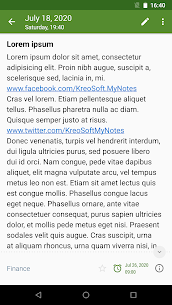
My Notes – Notepad is a fast, elegant note app that helps you write, store, and manage notes securely. You can use it as a simple notepad, a structured notebook, or a private journal/diary. The app focuses on quick writing, strong organization, and reliable backup and sync.
Keep Your Notes Safe and Private
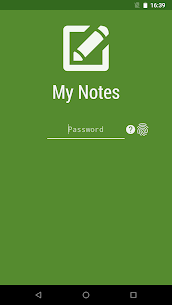
My Notes lets you protect your content with an app lock that supports PIN, password, and biometric authentication such as fingerprint recognition. This security layer prevents unauthorized access and gives you confidence that your personal notes, journal entries, and private thoughts stay protected at all times.
Create, Find, and Share Notes Quickly
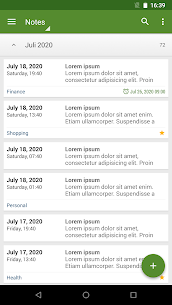
You can save and browse notes on both phones and tablets. The app includes search so you can locate specific notes faster, and it supports sharing when you need to send content to other apps or people.
Organize with Folders and Sorting
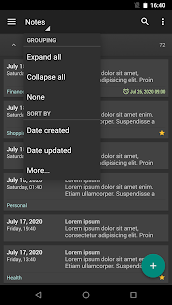
My Notes uses folders to keep topics separated—work, school, personal, planning, and more. You can manage folders from the navigation drawer and sort notes by:
- date created
- date updated
- title
- folder
This makes it easier to keep large collections clean and navigable.
Reminders and Notifications
You can attach reminders to notes and receive notifications, which helps you use the app as a lightweight task and reminder system in addition to note-taking.
Backup, Restore, and Export
My Notes helps you protect your data and move it when needed:
- create a backup file and restore from a .bkp backup
- export notes as a text file or HTML for external use or archiving
Google Drive Sync and Cloud Storage
The app syncs notes through Google Drive, allowing you to access the same notes on all Android devices you use. This also helps you store notes safely in the cloud and recover them after device changes.
Writing Comfort and UI Options
My Notes supports an unlimited number of notes, including long entries. You can swipe left or right to move between notes quickly. The app also includes:
- light and dark themes
- theme color selection
- widgets and shortcuts for faster access
Unlock More with Premium
Upgrading to the premium version removes all ads and gives you access to additional features. You can enable automatic syncing to keep your notes updated across devices without manual effort. Premium also adds backup preview options and expanded export tools for text files and HTML, giving you more control over how you manage and share your notes.
Images

Download links
How to install My Notes - Notepad Mod APK?
1. Tap the downloaded My Notes - Notepad Mod APK file.
2. Touch install.
3. Follow the steps on the screen.
Note: Important!
- Delete all previous Original/Mod before installing the latest mod.
- If necessary, log in with your email/social media. Modded App cannot be logged in with Gmail.
- Enjoy !!!
Related apps




Latest Apps
Popular apps


