
Power Shortcuts
How to install Power Shortcuts Mod APK?
1. Tap the downloaded Power Shortcuts Mod APK file.
2. Touch install.
3. Follow the steps on the screen.
Note: Important!
- Delete all previous Original/Mod before installing the latest mod.
- If necessary, log in with your email/social media. Modded App cannot be logged in with Gmail.
- Enjoy !!!
Mod Info:
- No root or Lucky Patcher or Google Play Modded required;
- Disabled / Removed unwanted Permissions + Receivers + Providers + Services;
- Optimized and zipaligned graphics and cleaned resources for fast load;
- Google Play Store install package check disabled;
- Debug code removed;
- Remove default .source tags name of the corresponding java files;
- AOSP compatible mode;
- Languages: Full Multi Languages;
- CPUs: universal architecture;
- Screen DPIs: 160dpi, 240dpi, 320dpi, 480dpi, 640dpi;
- Original package signature changed;
Description
Power Shortcuts helps you unlock more control over Android by letting you create powerful, personalized shortcuts. You can place shortcuts on your home screen and trigger common actions in one tap instead of digging through menus. This makes everyday tasks faster, especially if you often repeat the same steps.
Shortcut Types You Can Create
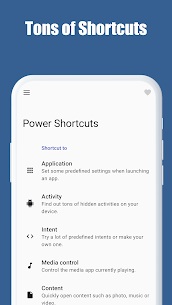
Power Shortcuts supports many shortcut categories so you can build a setup that matches your workflow:
App Launch Shortcuts (with Settings Automation)
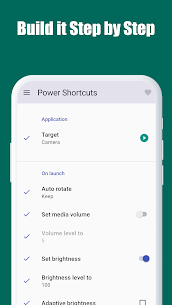
Launch an app while automatically applying system settings like volume or brightness, so your phone adjusts to the task as it opens.
Activity Shortcuts (Hidden Screens in Apps)
Discover and launch specific activities inside installed apps, including screens that may not appear directly in the normal app UI.
Intent Shortcuts (Prebuilt or Custom)
Use predefined intents or create your own custom intents to trigger advanced Android actions and app behaviors.
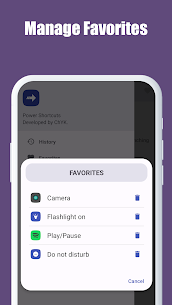
Media Control Shortcuts
Control the currently playing media app with quick actions, such as play/pause and other playback controls.
Content Shortcuts
Open specific content faster, such as photos, music files, or videos, without browsing through folders.
Website Shortcuts
Create one-tap shortcuts to your favorite websites or frequently used web pages.
Contact Shortcuts
Call, text, or email important contacts instantly from a shortcut.
Quick Settings Toggles
Toggle key system settings with a single tap for faster control.
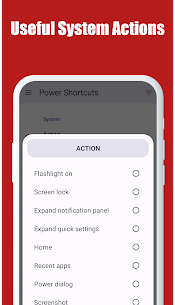
System Actions
Access device functions like the flashlight, screen lock, and other essential system tools.
Key Injection
Simulate key presses such as media keys (play/pause) and other button actions like the power button (where supported).
Accessibility Service Disclosure (System-Level Actions)
Power Shortcuts uses the Android Accessibility Service API to perform specific system actions. The app uses Accessibility for:
- Expanding the Notifications panel
- Expanding Quick Settings
- Showing Recent apps
- Opening the Power menu
- Toggling Split screen
- Taking a screenshot
- Locking the screen
What's new
- supports many other languages
- "Content" shortcut works well now
- changed build target to Android 16
- added "Direct call" for Contact actions
- added actions to open some system panels for the "System" shortcut
- added the "Open app info" for the "Application" and "Activity" shortcut
- fixed some bugs
Images
Download links
How to install Power Shortcuts Mod APK?
1. Tap the downloaded Power Shortcuts Mod APK file.
2. Touch install.
3. Follow the steps on the screen.
Note: Important!
- Delete all previous Original/Mod before installing the latest mod.
- If necessary, log in with your email/social media. Modded App cannot be logged in with Gmail.
- Enjoy !!!
Related apps





Developer's apps


Latest Apps
Popular apps


