
Pulsar Music Player Pro
How to install Pulsar Music Player Pro Mod APK?
1. Tap the downloaded Pulsar Music Player Pro Mod APK file.
2. Touch install.
3. Follow the steps on the screen.
Note: Important!
- Delete all previous Original/Mod before installing the latest mod.
- If necessary, log in with your email/social media. Modded App cannot be logged in with Gmail.
- Enjoy !!!
Description
Pulsar Music Player ranks among the top music players on Android because it gives you a true offline listening experience with no advertisements. It follows Material Design closely and delivers a polished interface with smooth animations and clean navigation.
Built for Serious Listening
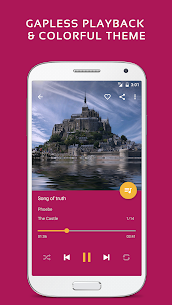
Pulsar includes the core features many listeners expect from a full music player. You can play music seamlessly with gapless playback, blend tracks with crossfade, and adjust playback speed when you want faster podcasts or slower practice sessions. The app also supports ReplayGain to normalize volume between songs, so you don’t constantly adjust the volume from track to track.
Organize Your Library Your Way
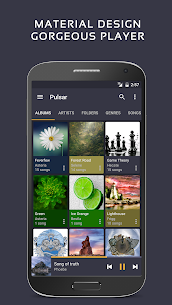
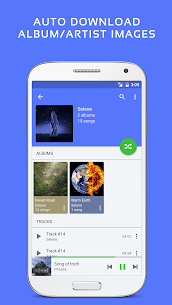
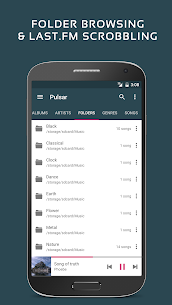
Pulsar helps you browse and manage music by album, artist, folder, and genre. It also creates smart playlists such as Most Played, Recently Played, and Newly Added, making it easy to jump back into favorites or discover what you just added. A fast search tool lets you find albums, artists, or individual songs quickly.
Rich Music Extras: Lyrics, Casting, and Visuals
Pulsar displays lyrics from embedded tags or .lrc files and includes a built-in music visualizer for a more immersive experience. You can cast music using Chromecast (Google Cast), control playback with Google voice commands, and use the app safely in the car with Android Auto support.
Sound Controls and Playback Tools
Pulsar gives you tools to tailor audio output, including sound balance adjustment, support for Last.fm scrobbling, and a sleep timer for listening at night. It also lets you disable auto-play when connecting to a car Bluetooth system, which helps you avoid unwanted playback when driving.
Widgets and Themes
You can place a resizable home screen widget to control playback and view your current track without opening the app. Pulsar also includes multiple colorful themes so you can match the player’s look to your device style.
Free Version vs. Pro Version
Pulsar Music Player Pro expands customization and audio controls. In addition to everything in the free version, Pro includes:
- 16 extra themes
- Theme customization options
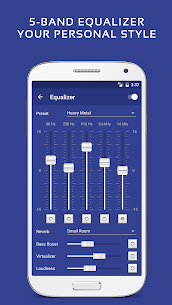
- A 5-band equalizer controller
- 9 built-in EQ presets
- Extra effects such as bass boost, reverb, and more
Supported Audio Formats
Pulsar supports common file types, including MP3, AAC, FLAC, OGG, WAV, and others, so it works well with most offline music libraries.
Can’t Find Your Songs? Rescan Your Library
If Pulsar doesn’t show your music after installation or after you add new files, you can use the “Rescan library” option in the action bar menu to re-index your device and refresh the library.
What's new
✓ Update to the latest ExoPlayer version.
Images
Download links
How to install Pulsar Music Player Pro Mod APK?
1. Tap the downloaded Pulsar Music Player Pro Mod APK file.
2. Touch install.
3. Follow the steps on the screen.
Note: Important!
- Delete all previous Original/Mod before installing the latest mod.
- If necessary, log in with your email/social media. Modded App cannot be logged in with Gmail.
- Enjoy !!!
Related apps





Developer's apps



Video
Latest Apps
Popular apps


