
Screen Master
How to install Screen Master Mod APK?
1. Tap the downloaded Screen Master Mod APK file.
2. Touch install.
3. Follow the steps on the screen.
Note: Important!
- Delete all previous Original/Mod before installing the latest mod.
- If necessary, log in with your email/social media. Modded App cannot be logged in with Gmail.
- Enjoy !!!
Mod Info:
● Paid Features Unlocked
● No ads
● Stable mod
● Debug info removed
● Multiple languages available
● No active trackers or advertisements
● Requires android 5.0 and up
● CPUs arch: Universal
● Optimized and cleaned resources for fast loading.
Description
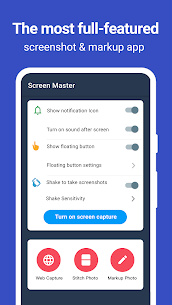
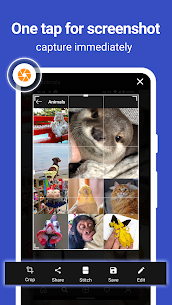
Screen Master works as a free screenshot and photo-markup app that doesn’t require rooting your device. You can capture your screen on a phone, tablet, or other Android device using quick actions like tapping a floating button or shaking the device. After you take a screenshot, Screen Master lets you edit it immediately and share it with others in seconds.
Fast Ways to Take Screenshots
Screen Master gives you multiple capture methods so you can choose what feels fastest:
- Floating button: You tap a small on-screen button that stays above other apps to grab a screenshot instantly.
- Shake to capture: You shake your device to trigger a screenshot without pressing any hardware keys.
- Web page capture: You share a webpage URL to Screen Master and save the full page as an image.
- Long screenshot: You capture scrolling content to save an entire screen or page in one continuous image.
Photo Markup and Annotation Tools
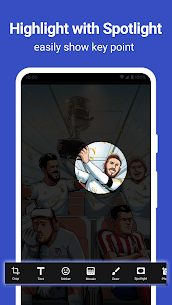
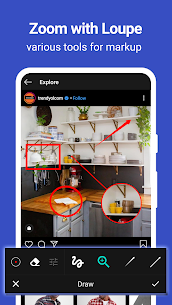
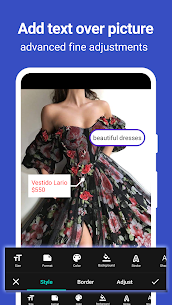
Screen Master includes a full set of annotation features for screenshots and regular photos. You can crop and rotate images, then draw attention to key details with arrows, rectangles, circles, and freehand pen tools. When you need privacy, you can blur or pixelate sensitive areas. The app also supports spotlight highlights, a magnifier (loupe) for zooming a selected section, emoji stickers, and highly customizable text (color, background, shadow, stroke, size, and style). You can annotate large images directly without cropping first, import pictures from your gallery, and save results in high quality for sharing.
Main Advantages
Screen Master focuses on convenience and quality:
- No root required, so you can use it without special system access or restrictions.
- It saves high-quality screenshots without quality loss and supports PNG output.
- It provides many markup tools for clear, professional-looking edits.
- It captures entire webpages and saves them as images quickly.
- It supports saving screenshots to an external SD card (when available).
- It supports Android 7.0 Shortcuts and QuickTile for faster access.
- It supports long screenshots and photo stitching for extended content.
Photo Stitching for Long Images
Screen Master can automatically detect multiple images and stitch them into one long screenshot. You can stitch photos vertically or horizontally, which helps when you split a long page into several captures and want one clean final image.
Save and Share in a Few Steps
After editing, you can export in HD, store the file where you want, and share the finished screenshot or photo with friends or teammates right away. This workflow makes Screen Master useful for tutorials, bug reports, study notes, and quick social sharing.
Images
Download links
How to install Screen Master Mod APK?
1. Tap the downloaded Screen Master Mod APK file.
2. Touch install.
3. Follow the steps on the screen.
Note: Important!
- Delete all previous Original/Mod before installing the latest mod.
- If necessary, log in with your email/social media. Modded App cannot be logged in with Gmail.
- Enjoy !!!
Related apps





Video
Most viewed apps
Most rated apps


