
Swiftly switch Pro

Mod Info:
- No root or Lucky Patcher or Google Play Modded required;
- Disabled / Removed unwanted Permissions + Receivers + Providers + Services;
- Optimized and zipaligned graphics and cleaned resources for fast load;
- Google Play Store install package check disabled;
- Debug code removed;
- Remove default .source tags name of the corresponding java files;
- Languages: Full Multi Languages;
- CPUs: armeabi-v7a, arm64-v8a, x86, x86_64;
- Screen DPIs: 160dpi, 240dpi, 320dpi, 480dpi, 640dpi;
- Original package signature changed;
Description
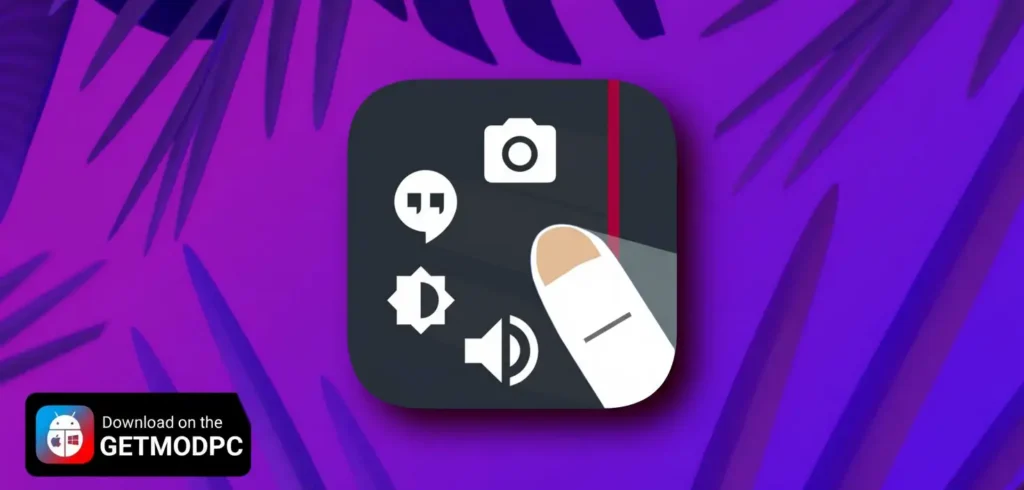
Swiftly Switch stands out as a powerful edge application that fundamentally enhances how you interact with your Android device. This innovative app enables you to operate your phone comfortably with just one hand while dramatically accelerating your multitasking capabilities. Whether you are commuting, cooking, or simply multitasking, Swiftly Switch puts everything within easy reach.
The app runs silently in the background, consuming minimal resources. You can access it effortlessly from any screen by performing a single swipe from the edge of your display. Developers designed Swiftly Switch with three core principles in mind: speed, battery efficiency, and extensive customization options that put you in complete control.
Revolutionary Ways to Handle Your Phone
Swiftly Switch introduces several groundbreaking features that completely change smartphone interaction:
Recent Apps Switcher – The app arranges your recently used applications in a convenient floating circle sidebar positioned along the screen edge. You can instantly switch between them by performing one simple swipe from the trigger zone.
Quick Actions – By swiping deeper with a rightward motion, you can pull down your notification shade, switch to the last app you used, navigate back, or open the Grid Favorites section for quick access to your most-used features.
Grid Favorites – This practical side panel serves as a customizable hub where you can place favorite applications, useful shortcuts, quick settings toggles, and important contacts. Access this information from absolutely any screen with a single gesture.
Circle Favorites – Similar to the Recent Apps section, this feature lets you store your preferred shortcuts in a circular layout for even faster access to the tools you use most frequently.
Why Swiftly Switch Elevates Your Android Experience
The app delivers numerous advantages that set it apart from standard Android navigation:
One-Handed Usability – Say goodbye to awkward finger stretching. You no longer need to strain to reach the back button, recent apps button, or struggle to toggle quick settings or pull down your notification panel.
Fast Multitasking – Switch to recent applications or your last-used app with just one swipe. Users consistently find that no other method accomplishes this task more quickly.
Clutter-Free Home Screen – Eliminate the need to fill your home screen with shortcuts and widgets. Since you can access favorite apps and shortcuts from anywhere, your home screen stays clean and organized.
User-Focused Design – The developers prioritized your experience by keeping the app completely ad-free. It runs fast, remains intuitive to use, looks beautiful, and offers extreme customizability.
Comprehensive Shortcut Support
Swiftly Switch currently supports an extensive range of shortcuts including: applications, contacts, WiFi toggle, Bluetooth on/off, auto-rotation toggle, flashlight, screen brightness controls, volume adjustment, ringer mode, power menu, home button, back button, recent apps button, notification shade pull-down, last app switch, dial function, call logs, and various device-specific shortcuts.
Extensive Customization Options
The app puts customization power directly in your hands:
- Arrange shortcuts in circular pie controls, sidebars, or floating side panels
- Adjust the position and sensitivity of the edge screen trigger zone to match your preferences
- Customize icon sizes, animation styles, background colors, and haptic feedback
- Set different content preferences for each screen edge
- Configure individual behaviors for each shortcut
Pro Version Premium Features
Upgrading to Swiftly Switch Pro unlocks additional capabilities:
- Access to a second edge for even more functionality
- Customizable column and row counts for the Grid Favorites feature
- Ability to pin favorite shortcuts to the Recent Apps section
- Automatic disabling when running full-screen applications
Security and Permissions Explained
Developers designed Swiftly Switch with user privacy as a priority. Here is why the app requests specific permissions:
Draw Over Other Apps – This permission enables the floating window support necessary for displaying circles, side panels, and other interface elements across any screen.
Apps Usage – The app requires this to retrieve information about your recently used applications for the switcher feature.
Accessibility – This service performs essential navigation functions like back commands, power menu access, and notification pulling, particularly on certain Samsung devices.
Device Administration – The app needs this permission to enable the Screen Lock shortcut, allowing it to turn your screen off and lock your device.
Contact and Phone Access – These permissions support the contact shortcut functionality, enabling you to quickly call or message important contacts.
Camera Permission – The app uses this to turn your flashlight on and off, especially on devices running Android versions earlier than 6.0.
Get Started Today
Download Swiftly Switch now and experience the revolutionary pie control pattern that elevates your Android experience to new heights. The app also supports folder organization and offers convenient Google Drive backup for all your settings. Transform the way you use your smartphone by making every gesture count.
Images


Download links
How to install Swiftly switch Pro Mod APK?
1. Tap the downloaded Swiftly switch Pro Mod APK file.
2. Touch install.
3. Follow the steps on the screen.
Note: Important!
- Delete all previous Original/Mod before installing the latest mod.
- If necessary, log in with your email/social media. Modded App cannot be logged in with Gmail.
- Enjoy !!!
Related apps




Latest Apps
Popular apps


