
TurboTel Pro
How to install TurboTel Pro Mod APK?
1. Tap the downloaded TurboTel Pro Mod APK file.
2. Touch install.
3. Follow the steps on the screen.
Note: Important!
- Delete all previous Original/Mod before installing the latest mod.
- If necessary, log in with your email/social media. Modded App cannot be logged in with Gmail.
- Enjoy !!!
Mod Info
● Premium | Paid Features Unlocked
● No ads
● Stable mod
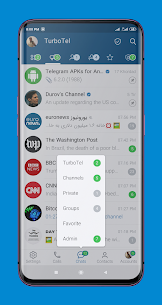
● 20 folders
● Ghost mode
● Premium icon
● 10 Pinned chats
● 10 favorite stickers
● 200 chats per folder
● Real time translation
● Multiple languages available
● Advanced chat management
● No active trackers or advertisements
● Requires android 4.4 and up
● CPUs arch: armeabi-v7a, arm64-v8a
● Optimized and cleaned resources for fast loading.
Description
Unlimited Messaging and Cloud Storage
You can send text messages, media, and files without any restrictions on type or size. The app securely stores your entire chat history in the Telegram cloud, so it does not consume your device’s storage. You can access your messages anytime and keep them محفوظ for as long as you need.
Enhanced User Interface
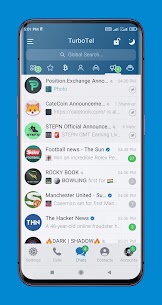
The app delivers a turbocharged user interface that feels smooth, responsive, and highly customizable. You can personalize your experience through a wide range of filter and tab settings, allowing you to organize conversations exactly the way you prefer.
Advanced Chat and Account Management
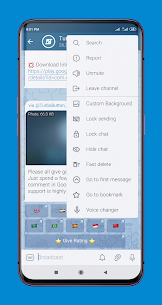
You can sort, hide, or disable accounts with ease. The app allows you to mark special contacts and monitor any changes they make. It also provides detailed contact activity notifications through toast alerts, so you always stay updated.
You can lock and hide chats to protect your privacy. Additionally, you can lock message sending to prevent accidental texts. The app supports up to ten accounts simultaneously, making it ideal for users who manage multiple profiles.
Powerful Message Control Features
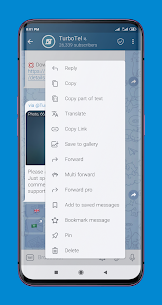
You can bookmark important messages and instantly jump to the first message in any chat. The app lets you forward messages without quoting the original sender. You can also enable confirmation prompts before sending or forwarding content, as well as before making Telegram calls.
The edit and repost feature allows you to modify messages before forwarding them. You can copy specific parts of a text message instead of copying the entire conversation.
Media and Creative Tools
The built-in download manager helps you organize and control your downloads efficiently. You can change the background of each chat individually to create a unique look for every conversation.
The app includes creative tools such as a painting option for sending drawings directly in chat. You can convert photos into stickers and transform regular videos into round video messages. The voice changer feature allows you to modify your voice before sending audio messages.
Storage and Performance Optimization
The app offers extensive storage management settings, giving you full control over how data is handled. Despite offering powerful features, it keeps your device storage free by storing conversations securely in the cloud.
And Much More
In addition to these features, the app includes many other enhancements designed to improve speed, privacy, customization, and overall user experience.
What's new
Bug fixes and other minor improvements.
Images

Download links
How to install TurboTel Pro Mod APK?
1. Tap the downloaded TurboTel Pro Mod APK file.
2. Touch install.
3. Follow the steps on the screen.
Note: Important!
- Delete all previous Original/Mod before installing the latest mod.
- If necessary, log in with your email/social media. Modded App cannot be logged in with Gmail.
- Enjoy !!!
Related apps





Latest Apps
Popular apps


