
UniMote
How to install UniMote Mod APK?
1. Tap the downloaded UniMote Mod APK file.
2. Touch install.
3. Follow the steps on the screen.
Note: Important!
- Delete all previous Original/Mod before installing the latest mod.
- If necessary, log in with your email/social media. Modded App cannot be logged in with Gmail.
- Enjoy !!!
Mod Info
● Premium | Paid Features Unlocked
● No ads
● Stable mod
● Screen mirroring
● Photo & video cast
● All additional features
● All premium features are working
● No active trackers or advertisements
● Requires android 5.0 and up
● CPUs arch: Universal
● Optimized and cleaned resources for fast loading.
Description
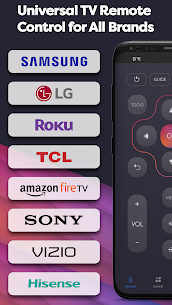
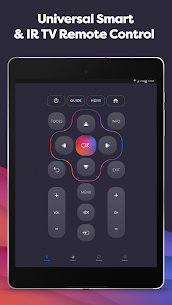
Do you want to get the most out of your TV? We are here to help—that’s why we created UniMote, a universal remote control for all TVs. This app allows you to control your television using your Android device. Your phone becomes a remote for Smart TVs, including Samsung, LG, Android TV, Google TV, Roku, Fire TV, Sony, and more. You can control both Smart TVs (via Wi-Fi) and non-smart TVs (using an IR blaster).
Why install UniMote if you already have a physical remote? Good question.
First, you no longer need to search for your remote because your smartphone is always with you. Your TV remote will never be lost again. Second, UniMote offers the same functions and more, including screen mirroring, smart sharing, and screencasting—all in one app.
Why not explore it together? Let’s be honest—you handle your smartphone better than your old remote control. Even if you think otherwise, UniMote allows you to customize everything according to your needs.
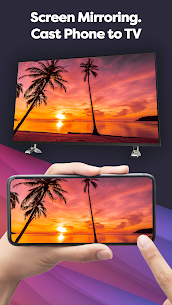
Start with basic screen mirroring for many brands such as Hisense, TCL, Roku TV, and more. You can also cast your favorite videos to your TV and enjoy them on a bigger screen.
You can even help the environment by using your phone as a universal TV remote, as you will no longer need to buy batteries.
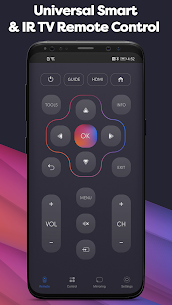
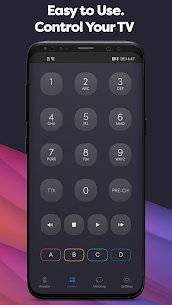
The interface and button layout feel familiar, while offering new features for a better experience. Whether you use Amazon Fire Stick, Samsung, Roku Stick, Xiaomi, or Panasonic, UniMote works with all.
Additional features include:
- Control Smart TVs via Wi-Fi or non-smart TVs using an IR blaster.
- Compatible with Samsung, LG, Android TV, TCL, Roku, Hisense, Vizio, Insignia, and many other brands.
- Screen mirroring for easier interaction with your TV.
- Environment-friendly use without batteries.
- Screencast videos or photos to share with friends or enjoy in higher quality.
- For IR TVs, your Android device must have a built-in infrared feature.
Make your life easier by installing UniMote. Turn your smartphone into a TV remote with a user-friendly interface. It’s like your old remote, but more compact, more powerful, and personalized to your preferences.
It’s always with you and easy to find. Embrace the convenience and enjoy your comfort with UniMote.
Notice:
- An Android device with a built-in IR blaster is required for traditional IR TVs.
- To connect to Smart TVs, both your TV and Android device must be on the same network.
What's new
- Improved App Stability
Images
Download links
How to install UniMote Mod APK?
1. Tap the downloaded UniMote Mod APK file.
2. Touch install.
3. Follow the steps on the screen.
Note: Important!
- Delete all previous Original/Mod before installing the latest mod.
- If necessary, log in with your email/social media. Modded App cannot be logged in with Gmail.
- Enjoy !!!
Related apps



Latest Apps
Popular apps


