
Utool
How to install Utool Mod APK?
1. Tap the downloaded Utool Mod APK file.
2. Touch install.
3. Follow the steps on the screen.
Note: Important!
- Delete all previous Original/Mod before installing the latest mod.
- If necessary, log in with your email/social media. Modded App cannot be logged in with Gmail.
- Enjoy !!!
Mod Info:
Paid Features Unlocked
● No ads
● Stable mod
● Debug info removed
● No active trackers or advertisements
● Requires android 8 and up
● CPUs arch: armeabi-v7a, arm64-v8a
● Optimized and cleaned resources for fast loading.
Description
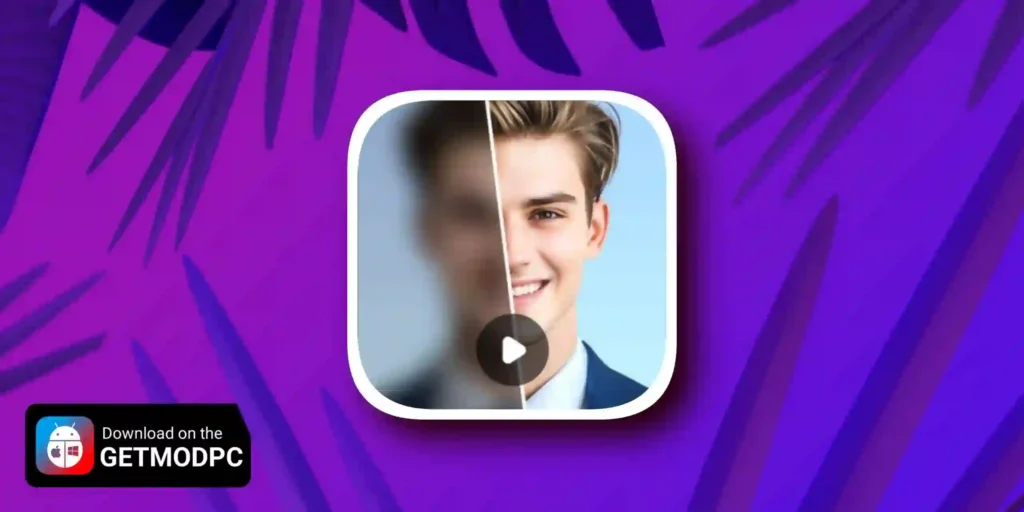
Utool – AI Video Editor & Quality Enhancer helps you improve blurry, noisy, or low-quality media and turn it into crisp, cleaner results with AI. The app combines video enhancement, photo restoration, creative filters, and basic editing tools in one place, so you can repair older memories and create modern-looking content without a complex workflow.
AI-Powered Enhancements (One Tap)
Utool uses AI to sharpen details, reduce noise, and improve colors for both videos and photos. The AI Video Enhancer can upscale and refine footage and may boost output up to HD/4K depending on your source. The AI Photo Enhancer can unblur and upscale images, restore detail, and apply light retouching for smoother-looking portraits.
Creative AI Tools: Art, Anime, and Avatars
Utool also focuses on style, not only clarity. You can generate AI art from your photos, apply cartoon/anime-style looks, and create avatars with different effects. The app positions these tools as a fast way to turn selfies into shareable profile images and creative edits.
AI Editing Utilities: Remove and Expand
Beyond filters, Utool includes AI editing features such as object removal (magic eraser), image expansion, and resizing. These tools help you clean up distractions, adjust framing, and prepare content for different platforms and aspect ratios.
Camera and Recording Tools
Utool includes a built-in HD camera experience with real-time effects and filters, including HDR-style options to improve shots in difficult lighting. The app also includes a screen recording tool designed to capture tutorials, calls, and on-screen content. You can export recordings with configurable quality settings (resolution and frame rate options vary by device).
Music Video Maker and Basic Editing
To finish edits quickly, you can add background music and sound effects, then trim or crop videos to remove unwanted parts. These tools make it easier to prepare short-form clips for social platforms such as TikTok, Instagram, YouTube, and Facebook.
Free Use and Future Updates
Utool promotes free editing and watermark-free results, and it continues to add new tools over time. Planned additions include more AI filters and effects, background removal, auto-captions, video-to-audio conversion, and other enhancements.
What's new
- Filter upgrade: new filters for a perfect, polished finish.
- New login & account system for better sync and security.
🤖️ Bug fixes and performance improvements
Try it today on the latest version of Utool! Have ideas or suggestions? Feel free to share with us at [email protected].
Images


Download links
How to install Utool Mod APK?
1. Tap the downloaded Utool Mod APK file.
2. Touch install.
3. Follow the steps on the screen.
Note: Important!
- Delete all previous Original/Mod before installing the latest mod.
- If necessary, log in with your email/social media. Modded App cannot be logged in with Gmail.
- Enjoy !!!
Related apps



Developer's apps
Latest Apps
Popular apps


