
VivuVideo
How to install VivuVideo Mod APK?
1. Tap the downloaded VivuVideo Mod APK file.
2. Touch install.
3. Follow the steps on the screen.
Note: Important!
- Delete all previous Original/Mod before installing the latest mod.
- If necessary, log in with your email/social media. Modded App cannot be logged in with Gmail.
- Enjoy !!!
Description
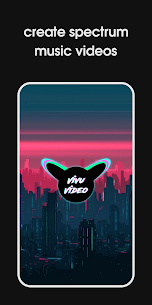
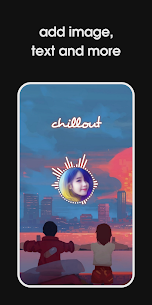
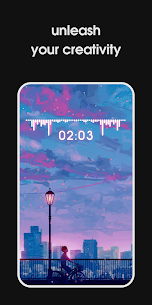
Vivu Video helps you create music visualizer clips, audio spectrum videos, and photo-and-music videos with deep customization. The app turns your favorite tracks into animated visuals similar to the wave and spectrum effects you often see on YouTube and TikTok. You can build these videos directly on your phone, customize the look in detail, and export high-quality results for social media or personal projects.
Create Audio Spectrum and Beat-Reactive Visualizers
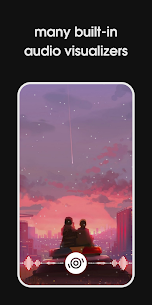
Vivu Video includes built-in spectrum visualizer templates that react to your music. You can adjust how the visualizer behaves and looks by changing:
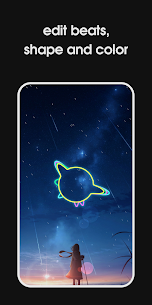
- color, shape, size, and position
- beat/audio reaction intensity and style
- the spectrum template you want to use (multiple pre-designed options)
This setup lets you create anything from clean minimal bars to bold, colorful EDM-style visuals.
Video Effects and Background Tools
The app includes a selection of video effects you can apply to match the energy of the track, such as shake, beat, glitch, and flash. You can also choose backgrounds from a photo collection or import your own images. A built-in photo editor lets you crop, flip, adjust brightness, and apply effects so the background fits the final style.
Audio Editing and Sound Control
Vivu Video adds advanced audio tools to refine how the track sounds in the final export. You can use an equalizer, trim music, and adjust speed and pitch to shape the audio for remixes, intros, or short-form clips. The app also supports extracting audio from video when you want to reuse a sound source.
Add Text, Lyrics, and On-Screen Elements
You can layer additional content to make your visualizer video feel complete and informative. Vivu Video supports:
- text overlays (with the ability to duplicate text elements)
- image overlays (and copies for repeated elements)
- lyric insertion for sing-along or captioned music clips
- timers, progress bars, and reading-arm effects
- falling effects for extra motion and style
Export Settings for Social Media Formats
Vivu Video lets you tailor output for different platforms. You can change aspect ratio (including 1:1, 4:3, and 16:9), choose resolution (1080p, 720p, 480p), and adjust FPS and bitrate to improve quality. The app can export Full HD at 60 FPS for smooth motion and crisp visuals.
Background Export and Easy Sharing
You can export videos in the background while using other apps or even when the screen is locked. After export, the app helps you manage and share your videos to multiple platforms, which speeds up publishing workflows for creators.
Who It’s For and What You Can Make
Vivu Video fits music enthusiasts, producers, and social media creators who want to publish remix videos, EDM clips, chill/lo-fi visuals, and beat-driven content for YouTube, TikTok, Instagram Reels, Facebook Reels, and more. You can also use it to create personalized music videos for friends and family for anniversaries or special moments.
Images
Download links
How to install VivuVideo Mod APK?
1. Tap the downloaded VivuVideo Mod APK file.
2. Touch install.
3. Follow the steps on the screen.
Note: Important!
- Delete all previous Original/Mod before installing the latest mod.
- If necessary, log in with your email/social media. Modded App cannot be logged in with Gmail.
- Enjoy !!!
Related apps




Video
Latest Apps
Popular apps


