
WiFi Analyzer Pro

Description
WiFi Analyzer Pro helps you get more from your wireless network by showing what happens around your router and recommending better settings. The app analyzes nearby Wi‑Fi networks, points out congestion, and suggests the best channel and router placement to improve connection quality.
What WiFi Analyzer Pro Does
WiFi Analyzer Pro displays essential details about your own network and scans Wi‑Fi signals around you. You can view connected devices, measure signal strength, and identify interference that can slow down your connection. The app guides you toward a less crowded channel so you can boost performance without replacing hardware.
Pro Benefits
No Ads
You use the app without interruptions or ad banners.
Device Customization
You can label and customize detected devices to recognize them quickly.
Scan More Networks
You can discover more nearby networks for a clearer picture of congestion.
Send Logs to Your Internet Provider
You can export and share diagnostic logs to support troubleshooting with your ISP.
Faster Updates
You receive new features and bug fixes earlier than non‑Pro users.
Network Discovery and Device Detection
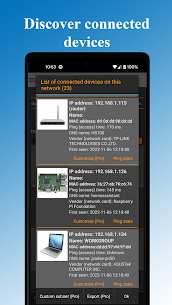
WiFi Analyzer Pro lets you see who uses your Wi‑Fi by detecting connected devices on your network. You can scan your wireless network and keep track of new or unknown devices.
Dual-Band Support: 2.4 GHz and 5 GHz
The app supports both 2.4 GHz and 5 GHz networks. You can compare bands, check interference, and choose the band and channel that best fits your home or office environment.
Security and Configuration Checks
WiFi Analyzer Pro highlights potential Wi‑Fi security issues and shows the network’s security type, such as WEP, WPA, WPA2. You can also open router settings directly from the app to change channels or adjust configuration faster.
Signal Strength, Latency, and DNS Verification
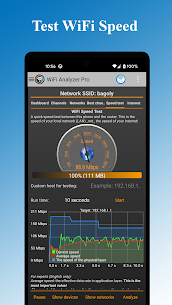
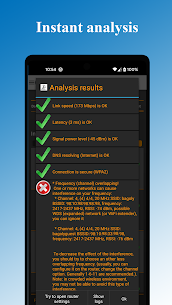
You can analyze signal strength and test latency (ping) to understand real-world responsiveness. The app can also help you spot crowded channels and verify that DNS works correctly, which supports smoother browsing and streaming.
Detailed Router and Access Point Information
WiFi Analyzer Pro provides deep technical information about your access point, including:
- vendor/manufacturer of the access point
- frequency and channel width
- security level and DHCP information
- BSSID (router MAC address)
Channel Recommendations and Visual Charts
The app recommends the best channel for your environment and displays nearby networks in multiple charts. These visuals make it easier to understand overlap and interference, even if you don’t have an IT background.
Export, Analytics, Themes, and Filters
You can export results for later review and use built-in Wi‑Fi analytics to track performance. The app also offers dark and light themes plus filters for SSID, Wi‑Fi band, and overlapping channels to focus on what matters.
Beginner-Friendly Monitoring and Warnings
WiFi Analyzer Pro monitors your network and warns you when it detects problems. You don’t need to understand technical metrics like RSSI or link speed to benefit—the app translates complex Wi‑Fi behavior into practical insights and clear next steps.
Images


Download links
How to install WiFi Analyzer Pro Mod APK?
1. Tap the downloaded WiFi Analyzer Pro Mod APK file.
2. Touch install.
3. Follow the steps on the screen.
Note: Important!
- Delete all previous Original/Mod before installing the latest mod.
- If necessary, log in with your email/social media. Modded App cannot be logged in with Gmail.
- Enjoy !!!
Related apps





Developer's apps
Latest Apps
Popular apps


